Unassigned Traffic in GA4: What It Means & How to Fix It
13 February 2026


Luzelle Botha
SEO Specialist
...
Tags
Data is the lifeblood of modern marketing, but lately, a "ghost" has been haunting the reports of New Zealand businesses.
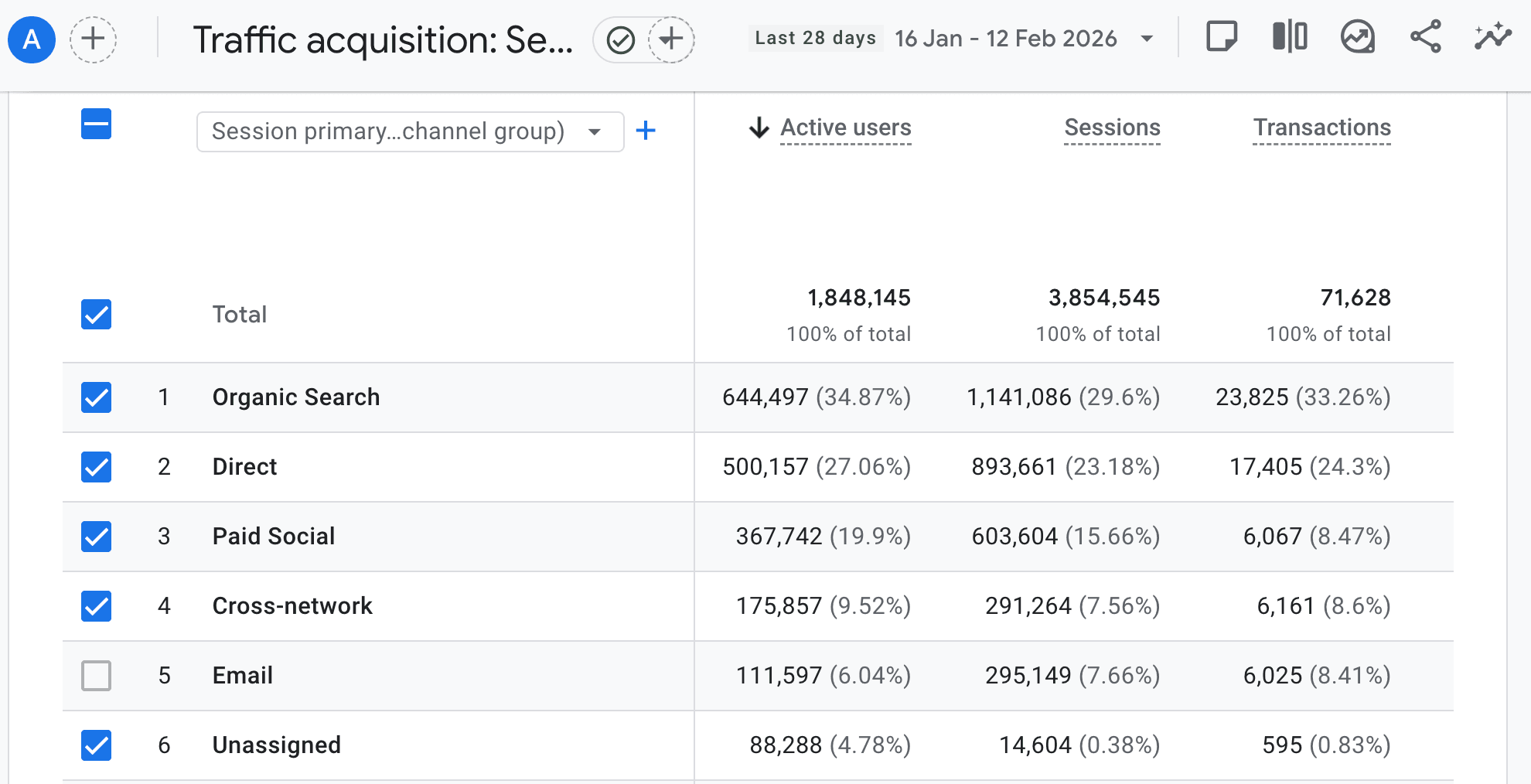
You’ve likely seen it in your GA4 (Google Analytics 4) dashboard: a massive, grey block labelled Unassigned sitting right where your Facebook Ads, Google Search, or Email traffic should be.
It’s frustrating. You’re making strategic investments in digital growth, but GA4 is effectively shrugging its shoulders when you ask for the ROI. In a world where we are moving toward different commerce protocols, where AI tools need high-fidelity data to act on your behalf, having "broken" data isn't just a reporting nuisance; it’s a competitive liability.
Let’s pull back the curtain on why this is happening and how to get your data in order.
What is "Unassigned" Traffic, Really?
In the old days of Universal Analytics, Google was a bit more forgiving. If it didn't know where a click came from, it usually dumped it into "Other" or "Direct."
GA4 is different. It operates on a strict set of Default Channel Group rules. These rigid rules automatically organise traffic based on source, medium or URL parameters like GCLID.
Think of it like a high-speed automated sorting facility. If a piece of traffic arrives with a label that the machine doesn't recognise, even if it's just a capital letter where a lowercase one should be, the system doesn't guess. It drops it into the "Unassigned" bucket.
The Four Most Common Data Leaks
If your Unassigned traffic is climbing above 10%, you likely have one of these three issues:
The UTM Naming Trap
This is one of the most common causes of Unassigned traffic and it’s slightly misunderstood.
GA4 doesn’t simply expect lowercase like most of us believe. The real issue is how GA4’s Default Channel Grouping rules work behind the scenes.
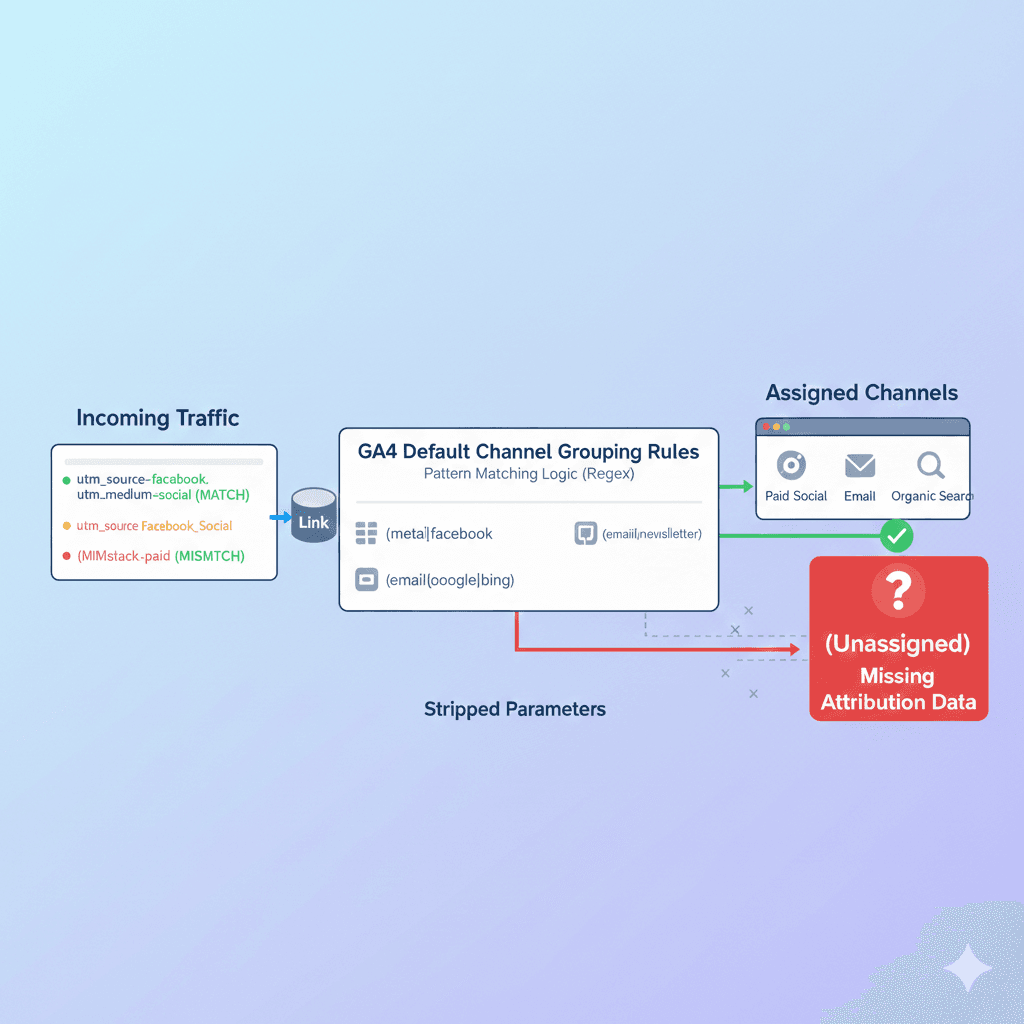
When traffic arrives on your site, GA4 checks the utm_source and utm_medium values against a predefined set of rules. These rules use pattern matching (regular expressions) to determine whether traffic belongs in channels like Paid Search, Paid Social, Email, or Organic Search.
If your UTM values don’t match those patterns exactly, GA4 doesn’t guess. It simply can’t classify the session and it gets placed into Unassigned.
For example:
- utm_medium=social_post → Doesn’t match GA4’s “Organic Social” or “Paid Social” rules
- utm_medium=paid-social → May not match depending on formatting
- utm_medium=Newsletter_Jan → Won’t match the Email channel definition
Capitalisation can fragment your reporting (e.g., Social vs social), but the bigger problem is using custom naming conventions that fall outside Google’s default definitions.
The fix isn’t just make everything lowercase. It’s creating a clear, standardised UTM naming framework that aligns with GA4’s channel grouping logic.
Tag Sequencing is Fumbling
Sometimes the issue isn’t your UTMs, it’s the order in which your tracking fires.
GA4 relies on a session_start event to establish where a visit came from. If that event doesn’t fire correctly, GA4 may record activity (page views, clicks, conversions) without properly attributing the session source. When that happens, the traffic can end up in Unassigned.
In newer implementations, this usually isn’t because someone “clicked too fast.” It’s more often caused by technical configuration issues like:
- Delayed tag firing: If your GA4 tag loads late in the page lifecycle, the initial session information can be missed.
- Consent Mode misconfiguration: If your consent banner blocks analytics tags before user consent (without proper modelling configuration), the session_start event may not initialise correctly. Equally important, if the user clicks through to a different page before accepting or denying consent, it could also lose the signal.
- Duplicate implementations: Running a hard-coded GA4 tag alongside Google Tag Manager can cause event conflicts or incomplete session data.
- Single Page Application (SPA) issues: If page views aren’t manually triggered during route changes, attribution can break mid-session.
TL;DR: GA4 doesn’t just need activity, it needs a clean “handshake” at the start of the session. If that handshake fails, attribution integrity suffers.
For GTM users, using the “Initialisation” trigger for your Google tag can help ensure GA4 loads before other events fire.
The Redirect & Auto-Tagging Break
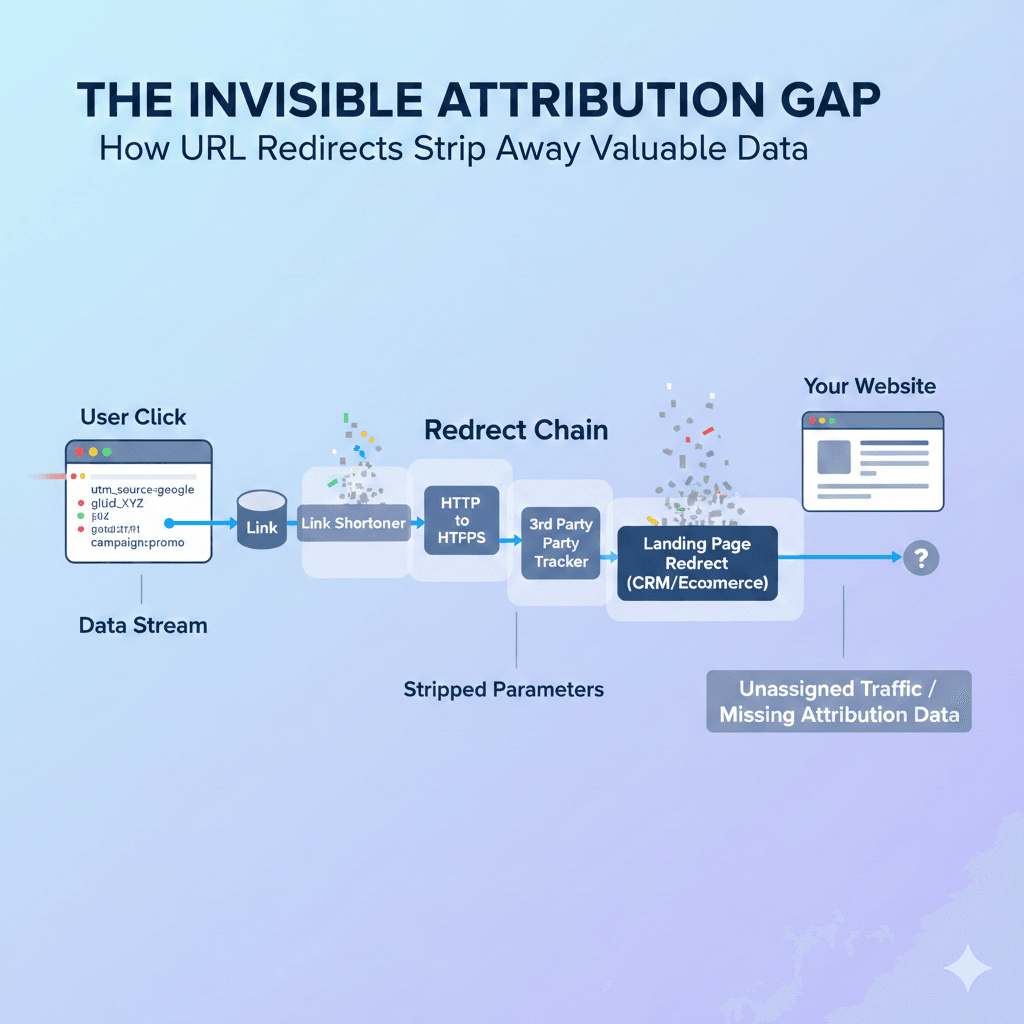
Redirects are one of the most common, and most invisible, causes of Unassigned traffic.
Many businesses use:
- Link shorteners
- Old HTTP links redirecting to HTTPS
- Tracking links through third-party tools
- Landing page redirects via CRM or ecommerce platforms
During that split-second redirect, URL parameters like UTMs or the Google Ads GCLID can be stripped away. By the time the user reaches your site, the attribution data is gone.
Why This Matters for Google Ads
If you’re running Google Ads with auto-tagging enabled, every click includes a unique GCLID parameter. GA4 uses that value to classify traffic correctly as Paid Search.
But if:
- Auto-tagging is disabled
- A redirect removes the GCLID
- Cross-domain tracking isn’t configured properly
- Server-side redirects don’t preserve query parameters
GA4 can’t match the click to Google Ads. The result? Paid traffic that doesn’t get recognised and may fall into Unassigned instead of Paid Search.
The click happened. The money was spent. But the identifying data didn’t survive the journey. The fix is ensuring all redirects preserve URL parameters and that Google Ads auto-tagging is enabled and tested end-to-end.

Consent Mode & CMP Configuration Gaps
As more NZ and UK brands expand internationally, or adopt modern ecommerce platforms like Shopify and headless CMS builds, consent frameworks are becoming part of the standard tech stack.
That’s a good thing for privacy.
But when Consent Mode or a Consent Management Platform (CMP) is implemented without aligning it to your analytics setup, attribution can quietly break.
Here’s where things often go wrong:
- The CMP blocks the initial Google tag entirely: If the session_start event never fires before consent is granted, GA4 may record fragmented user activity without properly establishing where the session came from.
- Consent signals aren’t passed correctly to GA4: If Consent Mode is enabled but not configured properly, GA4 may receive incomplete signals, limiting its ability to classify traffic accurately.
- Tags fire in a “denied” state without modelling configured: Google’s Consent Mode allows for modelled measurement in privacy-safe ways. But if the implementation hard-blocks everything instead of allowing compliant modelling, attribution gaps increase.
The result isn’t always dramatic. It’s subtle.
👉 Paid Search that looks smaller than it should.
👉 Social campaigns that appear under-reported.
👉 An unexplained rise in Unassigned traffic.
For NZ and UK businesses serving global markets, this matters. Privacy frameworks are increasingly driven by platform standards, not just local regulation. If your consent setup is technically compliant but strategically misaligned, you may be protecting privacy while unintentionally degrading performance visibility.
Quick Data Leaks Sanity Check
| If your Unassigned traffic shows... | The most likely culprit is... | The 2-minute fix... |
| Capitalized UTMs (e.g. Email) | Naming Convention | Switch to all-lowercase tags. |
| High (not set) / (not set) | Tag Sequencing | Set Google Tag to "Initialization" in GTM. |
| GCLID but no campaign info | Redirects | Ensure your server preserves URL parameters. |
The Diagnostic Checklist: How to Find the Leak
You don't have to live with the mystery. You can actually see what's hiding inside that "Unassigned" bucket by following these steps:
- Open your Traffic Acquisition report.
- Click the small (+) blue icon next to the "Session primary channel group" column.
- Search for and select the Session source/medium.
- In the search bar above the table, type Unassigned.
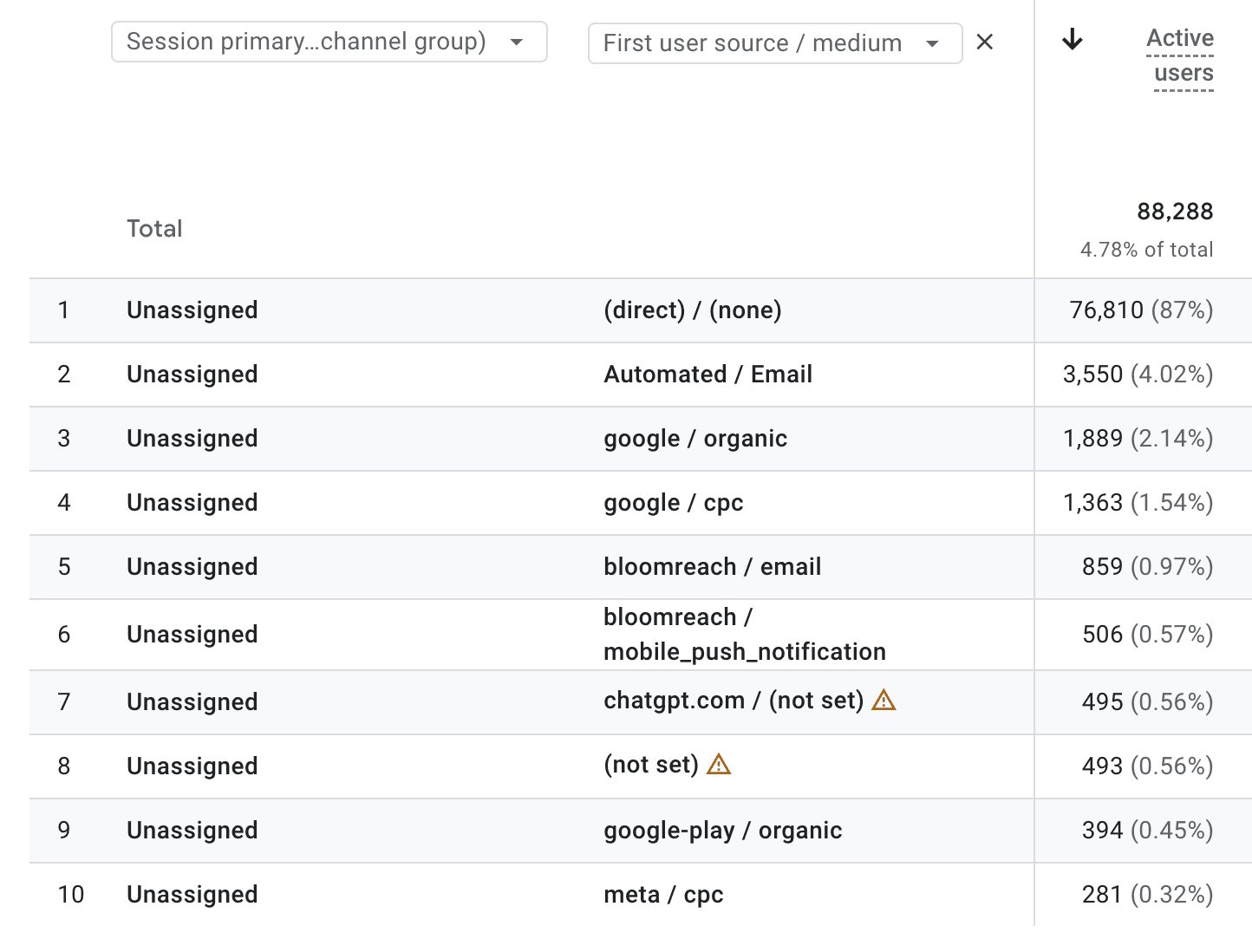
Suddenly, the "ghosts" have names. You'll likely see things like facebook / social_post or email / newsletter_jan. Now you know exactly which link needs fixing.
Moving Beyond the "Unassigned" Bucket
Once you’ve identified the leaks, it’s time to plug them. For most New Zealand businesses, the fix isn't about more data - it’s about better infrastructure. Here are three advanced ways to regain control of your reporting.
Take the Wheel with Custom Channel Groupings
Google’s default rules are global, but your business is local. If you’re getting significant traffic from a specific directory, a niche local news site, or a custom QR code campaign, GA4 might not have a "home" for it.
Instead of letting that traffic settle in Unassigned, you can create Custom Channel Groupings:
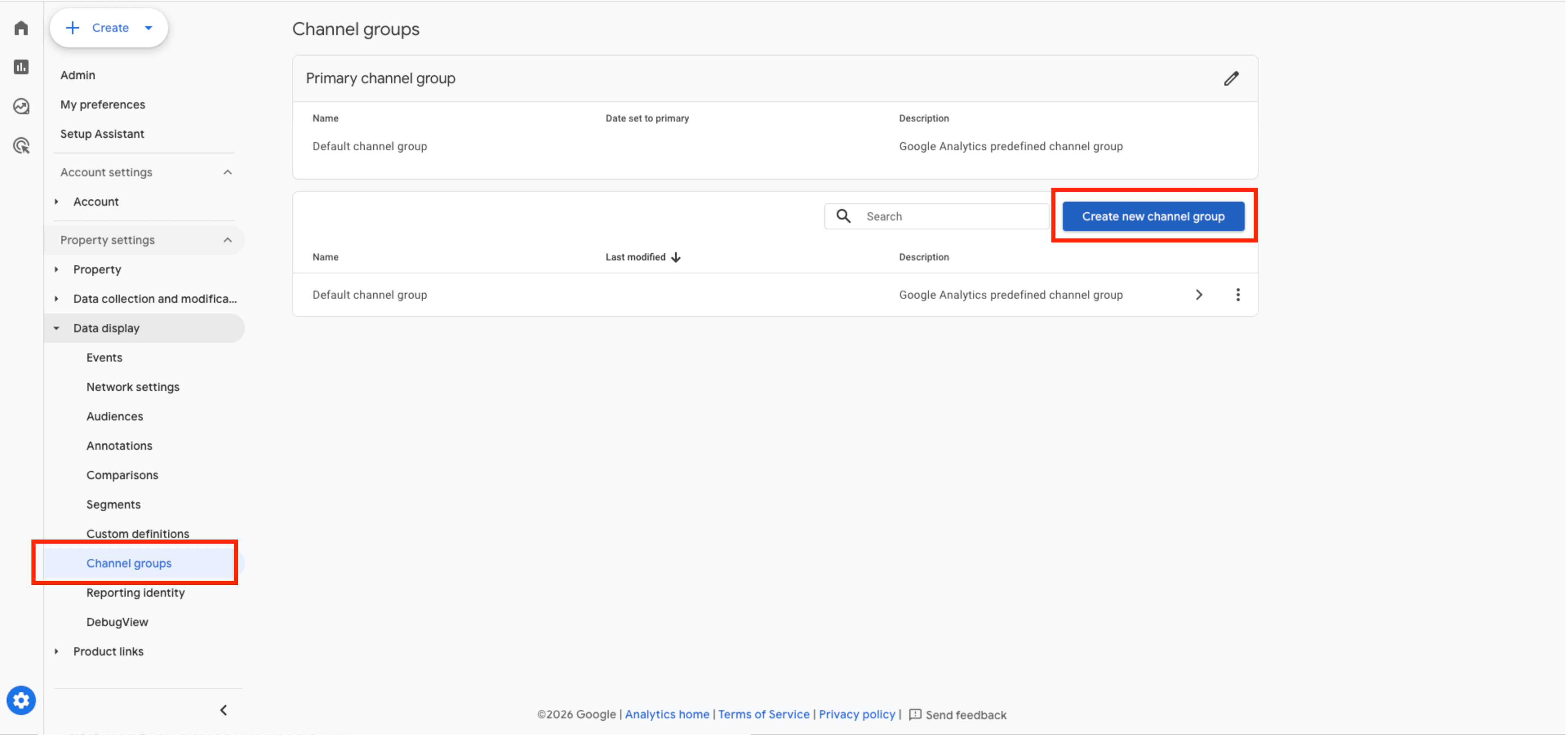
- Navigate to Admin > Data Display > Channel Groups.
- You can copy the default rules and add your own. For instance, you could create a "Local Referral" channel that looks for any source containing nzherald.co.nz or stuff.co.nz.
- The Benefit: This doesn’t just clean up your current view; it’s retroactive. You can look back at past data through your new, more logical lens.
The "Initialisation" Trigger
If you use Google Tag Manager (GTM), you have a powerful tool to solve the "late firing" problem. By default, many tags fire on "All Pages" (Page View). But on a fast site, a user might trigger an event before that Page View tag has finished its conversation with Google.
- The Fix: Change your GA4 Configuration (or Google Tag) trigger from "All Pages" to Initialisation - All Pages.
- Why it works: The Initialization trigger is designed to fire before any other events. It ensures that GA4 is standing at the door, ready to greet the user and record their source the moment they arrive.
Audit Your Redirects: Don't Lose Data Mid-Click
We see this often with "link in bio" tools or legacy campaign URLs. You send a user to yourwebsite.co.nz/sale, which your server then redirects to yourwebsite.co.nz/products/clearance.
If that redirect isn't configured to "append" query strings, your UTM parameters are deleted during the jump.
- The Test: Paste your campaign link into a browser. Does the URL in the address bar still have the ?utm_source=... bits after the page loads?
- The Fix: Work with your developers to ensure all server-side redirects (301s or 302s) are set to "preserve query parameters." It’s a small technical tweak that can instantly recover a massive amount of "lost" attribution.
Why Your "Data Maturity" Matters for 2026
As our team has discussed regarding the rise of Universal Commerce Protocols, websites aren't just for humans anymore. AI agents, the tools your customers are using to find and buy products, rely on the same data structures that GA4 does.
If your data is "Unassigned" to you, it’s invisible to the AI ecosystem. When an AI agent tries to attribute a purchase or understand a customer's journey, it needs a clean, logical path. Clean data today is the foundation for being "findable" in the agentic commerce world of tomorrow.
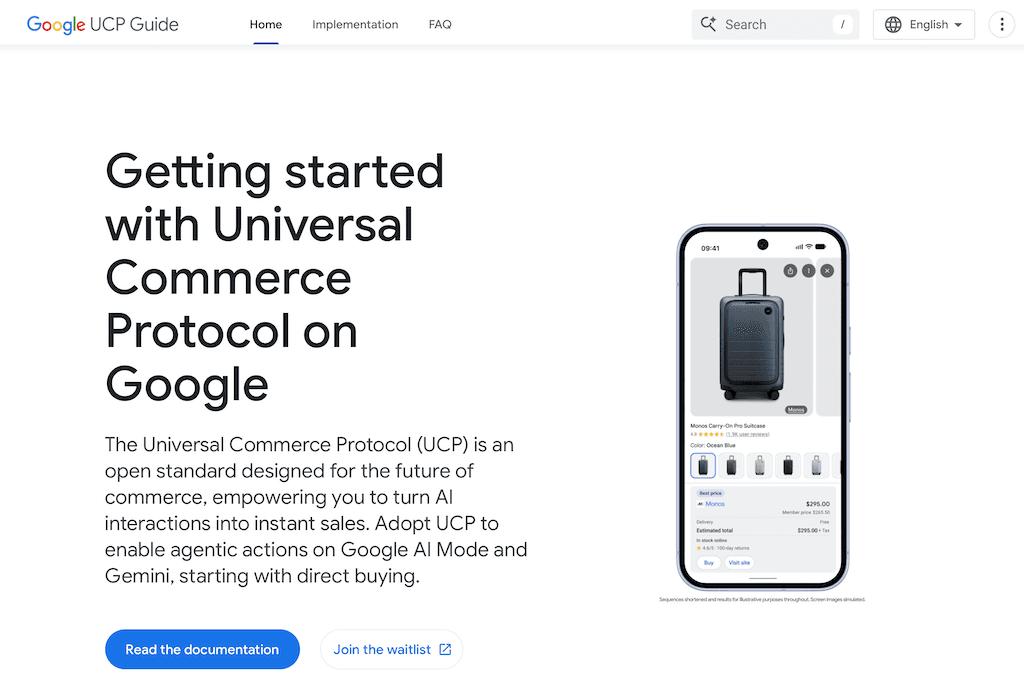
Source: Google UCP Guide
Pro Tip: Respect the 48-Hour Stabilisation Window
Before you panic, check the date range.
GA4 processes data continuously, but traffic classification and attribution modelling aren’t always final in real time. It’s common to see higher levels of Unassigned traffic for today or yesterday’s data.
Here’s why:
- Session data is processed in stages.
- Attribution models (including paid channel classification) can update after initial collection.
- Data quality checks and modelling refinements may adjust how traffic is grouped.
In most standard implementations, reports stabilise within 24–48 hours.
If you’re reviewing data that’s less than three days old, treat it as provisional, but if Unassigned traffic stays high after that window, it’s time to investigate.
The key is knowing the difference between temporary processing lag and a structural tracking issue.
"Unknown" is Not a Growth Strategy
Seeing a bit of Unassigned traffic is a natural part of the modern web. Between ad-blockers, "dark social" link sharing, and the sheer complexity of cross-device browsing, getting that number to zero is a fool's errand.
But it isn’t about perfection; it’s about confidence.
If half of your marketing data is sitting in a mystery bucket, you aren't just missing numbers, you're missing the chance to scale what works and cut what doesn't. At Blackpepper, we believe your analytics should be a map, not a puzzle. As we sprint toward a future of agentic commerce and AI-driven shopping, your data maturity will be the difference between being a preferred choice for an AI agent or a complete stranger.
Ready to turn the ghosts into growth? Get in touch with the Blackpepper team today, and let’s get your data house in order.