How Ecommerce Brands Should Think About PPC Targeting in 2025
15 May 2025

Roberta Johnston
SEO Lead
I'm an SEO specialist with over 8 years of experience helping brands grow through strategic, data-driven search optimisation. I've worked with large e-commerce websites and niche brands alike, developing a deep understanding of ranking algorithms, generative AI, and LLMs like ChatGPT, Perplexity AI, and Gemini. My expertise spans technical SEO, ensuring sites - whether a few dozen pages or 100,000+ - are crawled and indexed effectively.
Tags
Even when AI’s driving the campaign, strategy still matters.
If you’ve been running SEM or PPC campaigns for a few years, you’ve probably noticed a shift.
You’re not picking keywords or building audiences the way you used to. Platforms like Google Ads and Meta are quietly taking more control - layering in AI to automate campaign structure, creative, bidding, and targeting decisions.
That’s not necessarily a bad thing. Automation can drive scale and efficiency. But for ecommerce brands, it also raises a crucial question: If the machine is doing the targeting… what’s left for us to do?
The answer? Plenty.
Here’s the reality: while you may not choose every keyword or set every bid manually, your inputs still shape how the machine performs. Your audience signals, product data, exclusions, and creative structure all influence how effectively AI campaigns drive traffic and revenue.
This blog breaks down the key SEM and PPC targeting concepts ecommerce brands still need to understand in 2025 - and how to use that knowledge to boost visibility, protect margins, and grow smarter in what is fast becoming an AI-first world.
Jump Ahead:
Audience Targeting: Feeding the Algorithm the Right People
• Learn how Google and Meta use signals and where your first-party data still makes a huge difference.
• Still running Search ads? See how broad, phrase, exact, and negative keywords shape intent and spend.
Shopping & Feed-Based Targeting
• If you’re using Shopping or Performance Max, your product data is your targeting. Here’s how to get it right.
Location, Device & Demographic Controls
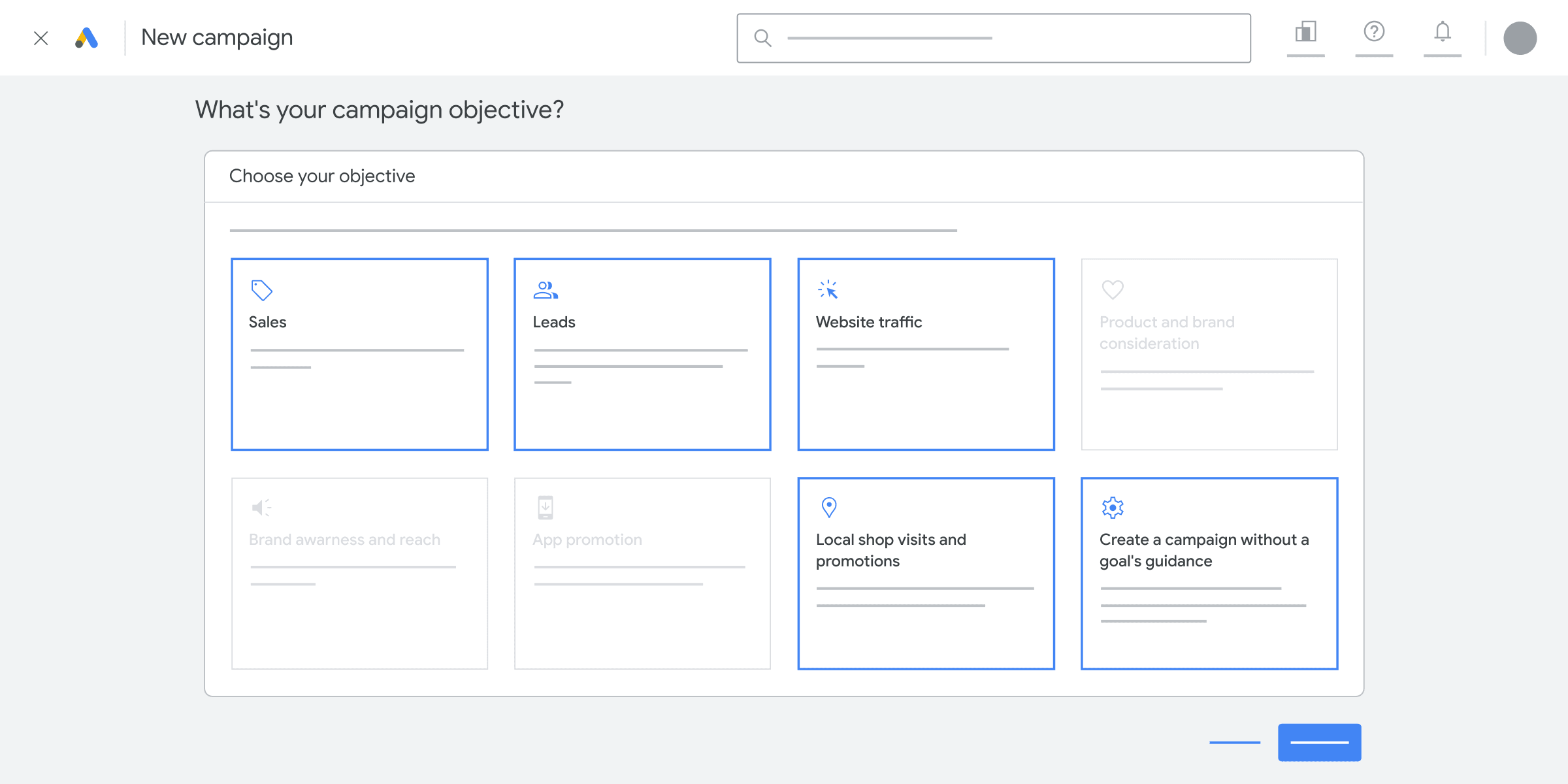
• Not everything is automated. These controls still exist and can make a real impact on ROAS.
Automation Doesn’t Mean Abdication
• AI is great - but only if you know how to guide it. Find out what you still influence and where things go wrong.
Conclusion: Strategy Still Wins
• What today’s ecommerce managers need to remember - and how we can help.

Audience Targeting: Feeding the Algorithm the Right People
These days, you can’t always choose who sees your ads. But you can influence how platforms like Google and Meta decide who’s most relevant.
Audience targeting isn’t about ticking boxes anymore - it’s about sending the right signals to the algorithm. And for ecommerce brands, that means knowing how to feed it the data it needs to find the people most likely to click, convert, and come back.
Let’s walk through the most useful audience types still available - and how your first-party data powers them.
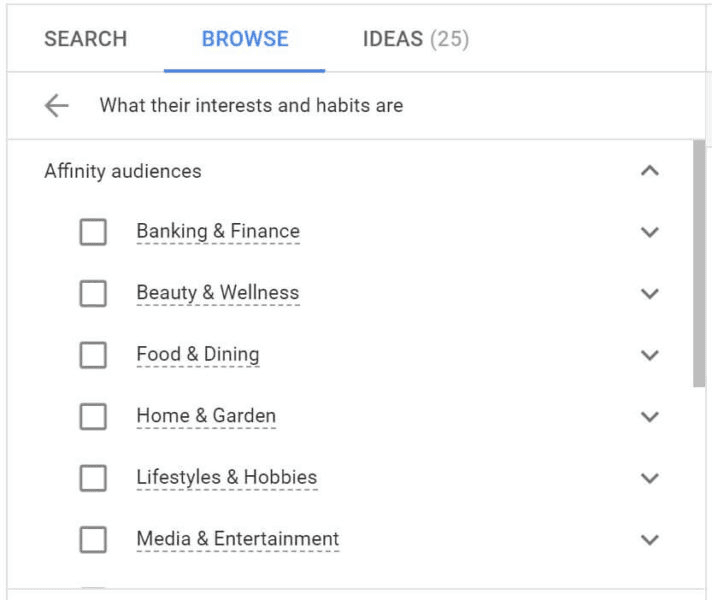
Affinity & In-Market Audiences
These are prebuilt audience segments created by Google, based on user activity across Search, YouTube, Gmail, and other platforms within Google's network.
Affinity audiences are built around long-term interests or habits. Think “Health & Fitness Enthusiasts” or, more broadly, “Online Shoppers.”
In-Market audiences are based on recent behaviour that suggests someone is actively looking to buy - like browsing multiple product pages or searching for “best running shoes NZ.”
How it works in campaigns:
You don’t get to handpick individuals. Instead, you’re telling Google: “Show this ad to people interested in [X category],” and it finds users who fit.
Why Does This Matter for Ecommerce?
These aren’t perfect, but they’re useful awareness-level signals.
Affinity is best for broad visibility; in-market is better for shopping-driven campaigns - especially if you're launching something new and need to test audiences quickly.
Free tip? We often layer these audiences into search or Shopping campaigns to help train Google’s algorithm - especially when we’re launching new products or markets with limited historical data.
Custom Segments (Google Ads)
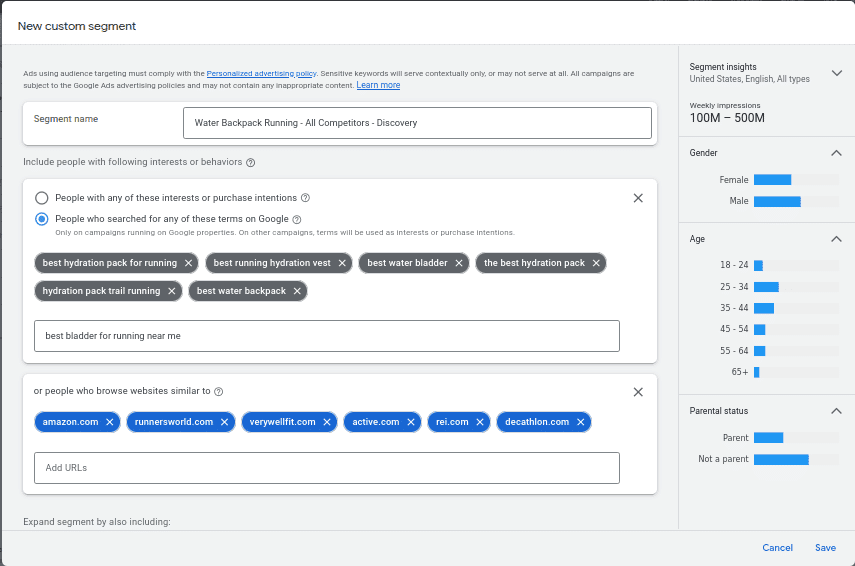
Custom segments let you create your own audience definitions based on real, high-intent signals. You can build them using:
• Search terms people have typed into Google (e.g. “best hiking boots for winter”)
• Websites they’ve visited (e.g. torpedo7.co.nz, bunnings.co.nz)
• Apps or interests they’ve interacted with
In automated campaigns like Performance Max, you can’t see or choose individual keywords. But by creating a custom segment, you can still tell Google what kind of customer you’re trying to attract.
Why Does This Matter for Ecommerce?
Custom segments give you far more control than Google’s default audiences.
You can build targeting logic around actual buying intent or competitor behaviour, then feed it into campaigns like Performance Max - where Google hides much of the targeting logic.
Let’s say you sell pet food. You could create a segment of people who’ve recently searched for:
• “grain-free dog food”
• “best food for senior dogs”
• or visited top pet supply stores
That helps Google show your ads to a more relevant audience, even if you’re not manually setting keywords.
Customer Match (Google Ads & Meta)
This is where first-party data really shines.
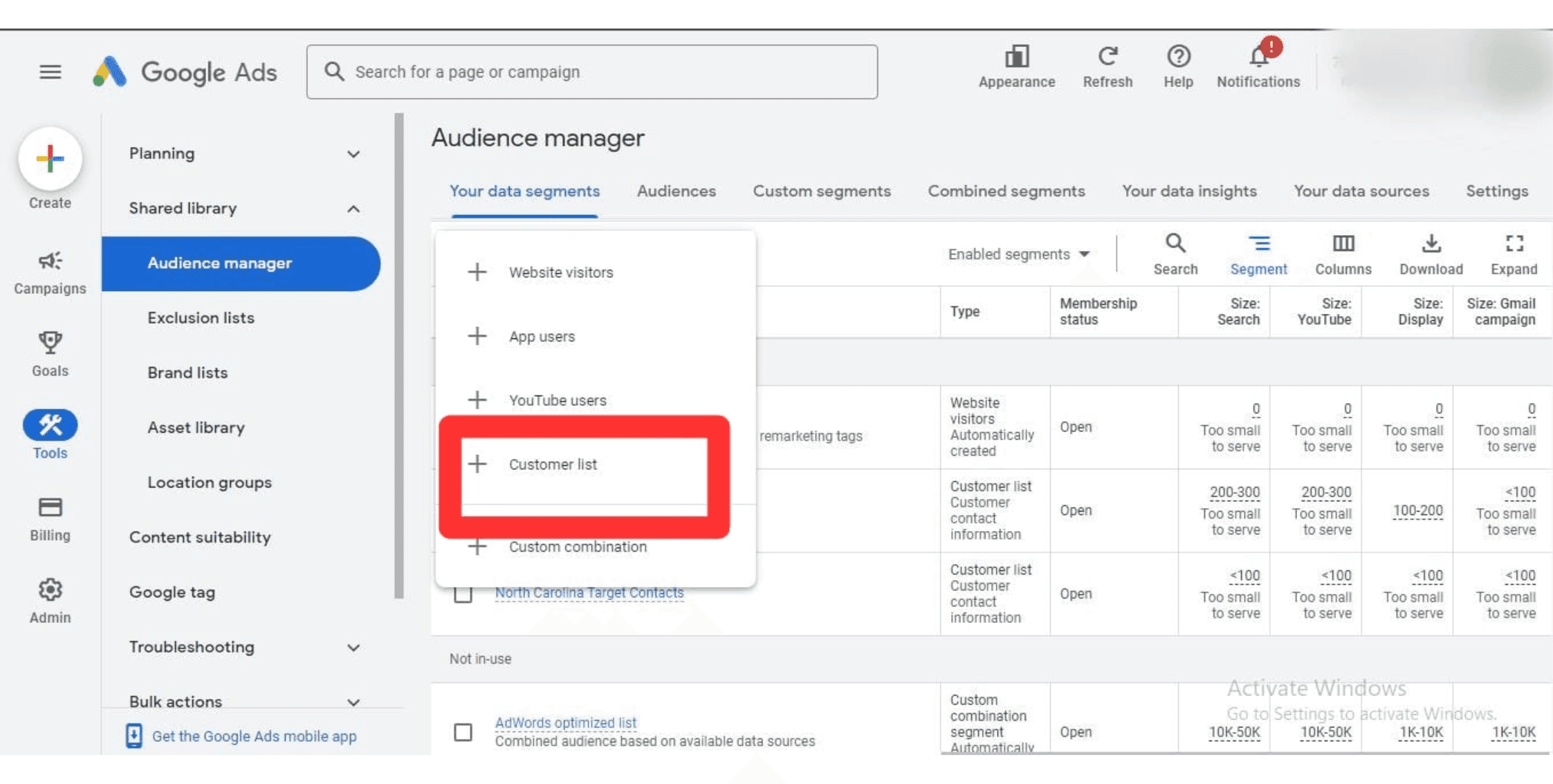
Customer Match allows you to upload your own customer data - like email addresses, phone numbers, or purchase history - directly into Google Ads or Meta.
The platform then matches that data to real user profiles, so you can:
• Show ads to your past customers
• Exclude them from prospecting campaigns
• Build lookalike audiences based on your best buyers
With third-party cookies fading (kind of), your owned data becomes your most accurate audience source. The cleaner and more segmented your customer data, the better the performance of your lookalikes, exclusions, and campaign signals.
We help our clients build Customer Match lists from high-AOV (average order value) customers, loyalty program members, or seasonal shoppers - then sync those lists into Google and Meta to enhance retargeting and predictive targeting. Trust us, it works!
Remarketing Audiences
Remarketing lets you show ads to people who’ve already interacted with your site using tracking tags or pixels.
You can build remarketing audiences based on:
• People who viewed product pages
• Add-to-cart actions
• Time on site
• Page scroll depth
Remarketing is one of the most cost-effective ways to bring back high-intent users - especially those who got close to purchasing but didn’t convert.
Remarketing is ideal for:
• People who viewed a specific product or collection
• Customers who haven’t bought in a while (but did once)
But be careful: audience exclusions are just as important. You don’t want to keep advertising to someone who already converted yesterday!
Something else to keep in mind is, with data privacy tightening, you’ll get the best remarketing performance if your site is using server-side tracking or enhanced conversions to keep audience lists accurate.
Use First-Party Data Wherever You Can
Let’s be clear: you don’t need massive data warehouses or CDPs to use first-party data well.
Your:
• Customer email list
• Purchase history
• Loyalty database
• CRM or Shopify data
…are all first-party assets that can (and should) be used to guide ad platforms in real time.
How it works in campaigns:
• Feeds into Customer Match and Lookalike Audiences
• Improves performance of Performance Max and Advantage+
• Makes your remarketing lists more accurate
• Lets you segment users based on real behaviours, not assumptions
Success with paid campaigns today isn’t about controlling every lever - it’s about supplying the right data to shape the outcome. And that starts with first-party audience signals.
Keyword Intent & Match Types: Why They're Still Critical in Search
If you’re running paid search campaigns, keywords are still your bread and butter - even in 2025.
Sure, AI and automation have taken over a lot of the heavy lifting (like bid management and campaign structure), but the keywords you use - and how you match them - still shape who sees your ads. And for ecommerce brands, that directly impacts whether you’re attracting window shoppers… or people ready to buy.
Let’s break down the match types still available in Google Ads, how they work, and what you should be watching out for.
Broad Match
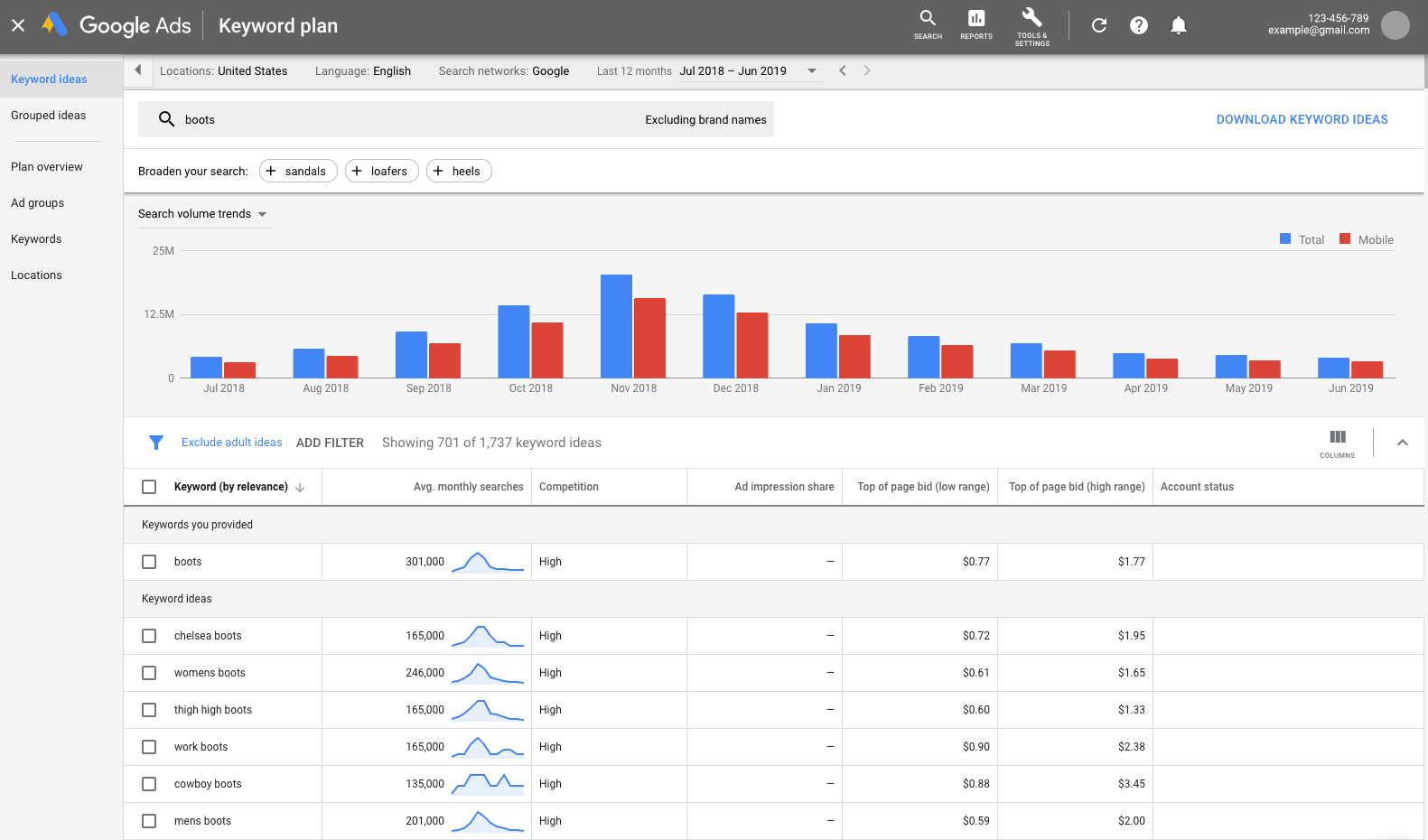
Broad match is Google’s most flexible match type. It allows your ad to show when a search term loosely relates to your keyword - even if the exact word isn’t present.
For example: Keyword: running shoes
Your ad might show for: “best sneakers for trail running,” “cheap gym shoes,” or even “Nike footwear reviews”
What Google says: Broad match now uses “real-time signals” (like user intent, past search history, and location) to serve more relevant ads.
What that means in reality: It can be powerful but also risky. If your campaign goals, conversion tracking, or audience signals aren’t dialled in, broad match can eat through budget fast.
For ecommerce brands, we recommend:
Use broad match carefully - and only when you’ve:
• Enabled enhanced conversions or first-party signals,
• Added strong negative keywords,
• Got clear conversion goals in place (like “Purchase” tracked via GA4 or GTM).
Phrase Match
Phrase match gives you more control.
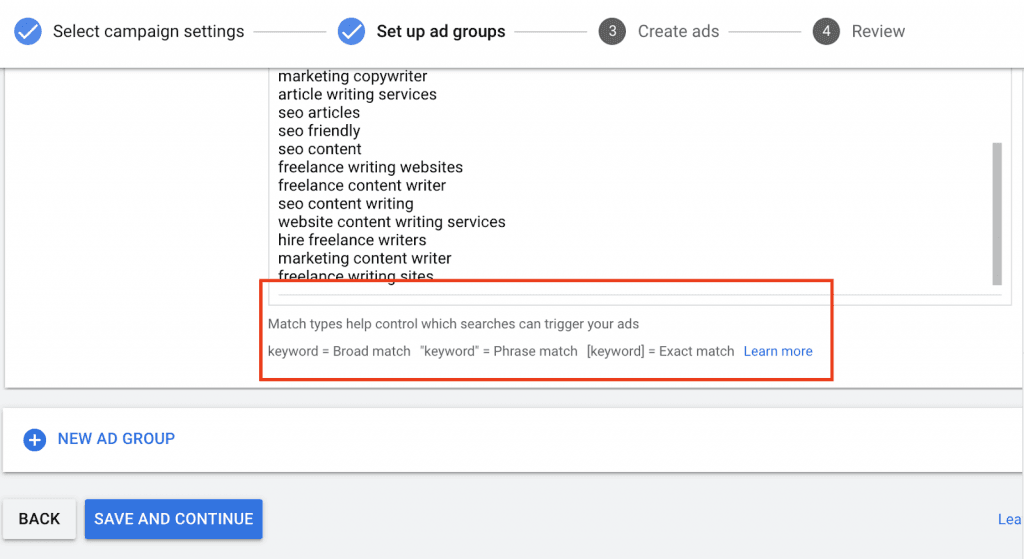
Your ad will only show when someone’s search includes your keyword phrase - in that exact order - but may include words before or after.
For example: Keyword: "running shoes"
Matches: “best running shoes for beginners” or “buy running shoes online”
Phrase match strikes a balance between reach and relevance which makes it ideal for ecommerce brands looking to scale while still protecting their ROAS.
For ecommerce brands, we recommend:
Phrase match works especially well for product category campaigns or branded terms. It helps you avoid showing up for completely unrelated queries while still capturing mid-to-high intent searches.
Exact Match
Exact match is the tightest control you can have. Your ad will only show for searches that are either exactly the keyword or a close variant.
For example: Keyword: [running shoes]
Matches: “running shoe” or “running shoes” - but not “best trail shoes” or “cheap gym shoes”
This is your best bet when you want to target very specific, high-intent queries - like if you’re advertising a niche product, or your margins are tight and every click has to count.
For ecommerce brands, we recommend:
Use exact match for bottom-of-funnel keywords like:
• “Buy waterproof boots NZ”
• “Dyson Airwrap online store”
• “Discount dog food bulk”
At Blackpepper, we often structure search campaigns using a blend of match types - starting with phrase and exact to keep performance tight, then using broad match in a separate, closely-managed campaign to discover new opportunities.
Negative Keywords
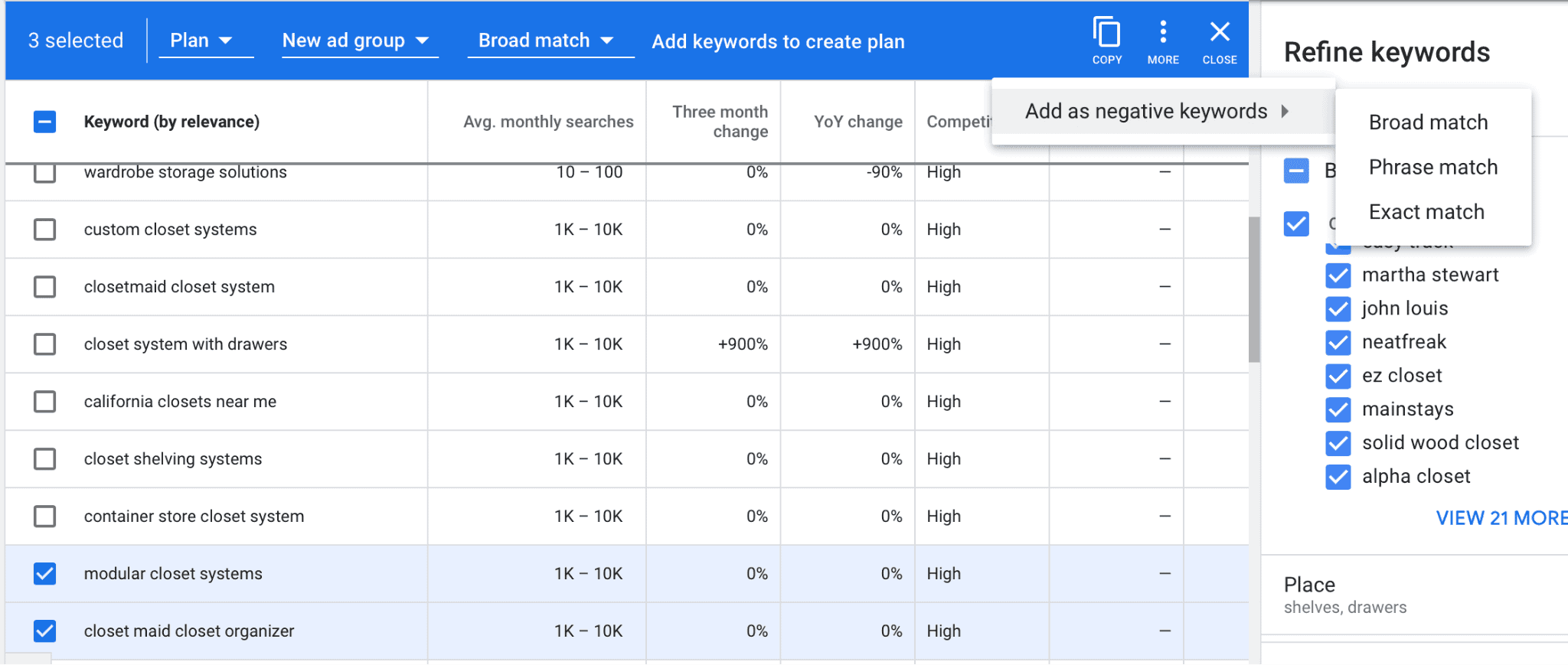
Negative keywords tell Google when not to show your ad. They’re crucial for budget control - especially in campaigns using broad or phrase match.
For example: You’re selling premium furniture. You might want to exclude:
- “cheap couch”
- “DIY sofa tutorial”
- “free lounge set”
For ecommerce brands, we recommend:
Always review your search terms report.
Even with automation, you’re still responsible for making sure you’re not paying for irrelevant traffic (or you could let us do it for you...just saying!).
This is one of the easiest ways to improve CTR, conversion rate, and ROAS, fast.
Does That Mean Match Types Still Matter...Even with AI?
Yes - absolutely.
Even if Google is making more decisions for you, your choice of match type still defines how “loose” or “tight” your targeting is. And for ecommerce, that means the difference between attracting ready-to-buy shoppers… or people still "window shopping".
Just because Google makes keyword targeting easier doesn’t mean it makes it smarter. That’s still your job - and your opportunity!
Shopping & Feed-Based Targeting: Where Your Product Data Is the Strategy
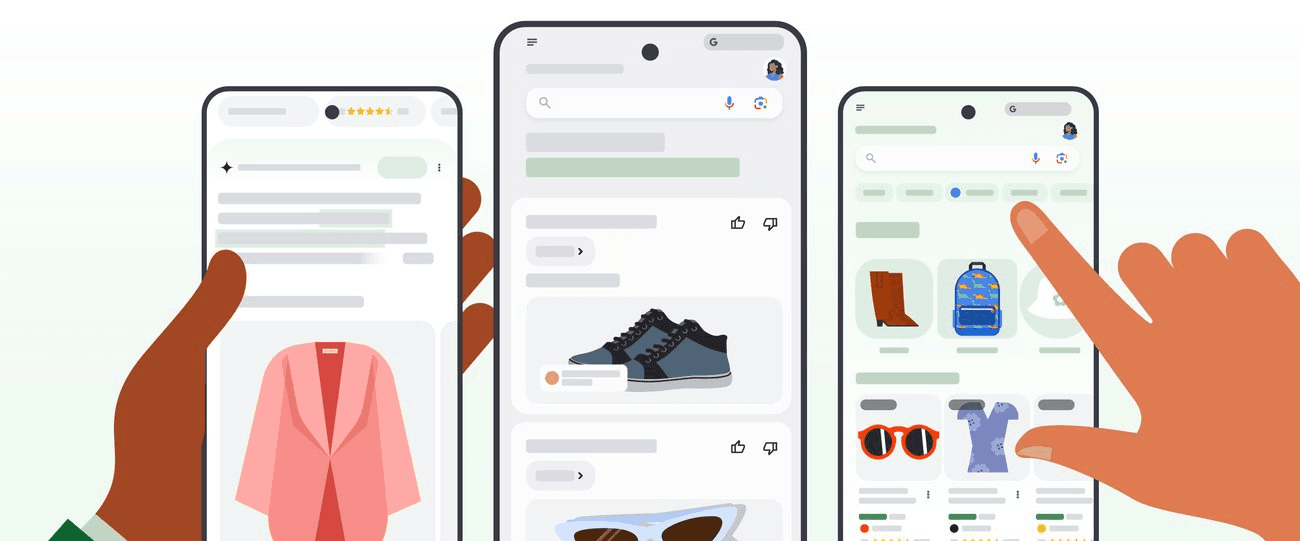
If you’re running Google Shopping or Performance Max campaigns, you might’ve noticed something: there’s no box to tick for keywords. No obvious way to “target” anything. No manual audience selection.
That’s because in these campaigns, your product feed is your targeting.
Google uses your product data - titles, descriptions, categories, custom labels, availability, price - to determine when and where to show your listings. It compares what’s in your feed to what people are searching for.
And that means, for ecommerce brands, the way your product data is structured directly affects visibility, clicks, and ROAS.
How Shopping Campaigns Target Users
Google doesn’t rely on keywords in the same way Search does.
Instead, it uses a combination of:
• Product titles and descriptions (to understand relevance)
• Pricing and availability (to evaluate competitiveness)
• Google product categories (to place your items in the right context)
• Custom labels (to help you group and manage products strategically)
Your targeting power lies in how you structure your data feed - and how you segment your campaigns.
Why Product Titles Matter More Than You Think
Your product title is the most important element in your Shopping feed. It’s the first place Google looks when deciding if your product matches a user’s search.
Bad title: “Comfy Sofa - Blue”
Good title: “3-Seater Velvet Sofa in Blue | Mid-Century Design | NZ Made”
For ecommerce brands, we recommend:
Start your product titles with the most relevant attributes (product type, key feature, brand, size) and include long-tail terms users are actually searching for. Use keyword data from Search Console or Google Ads to guide these.
"Long-tail" just means searches that use three words or more!
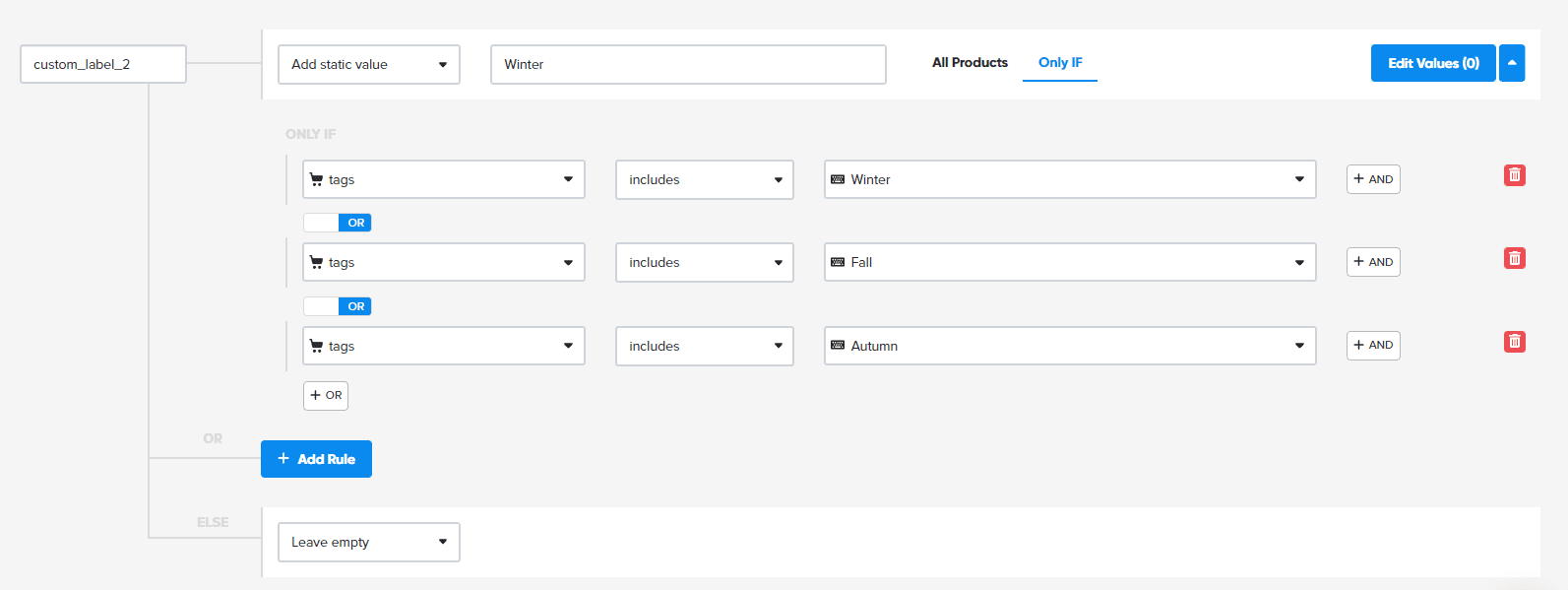
Custom Labels = Better Campaign Control
Custom labels let you group products however you want - and this is where strategic targeting comes back into play.
You can label products by:
• Margin (e.g. high-margin vs. low-margin),
• Seasonality (e.g. Winter 2025),
• Performance (e.g. Bestsellers),
• Inventory levels (e.g. Clearance or Low Stock)
These labels don’t impact how your ads are served but they let you control bidding, segmentation, and budgets in a meaningful way.
Performance Max: Even Less Visibility, Even More Data-Driven
Performance Max campaigns use your feed to drive product visibility across Search, Shopping, YouTube, Gmail, and Display - all from one campaign.
But with that convenience comes a lack of control. You can’t see exactly which search terms triggered your ads, or which audience segments performed best. So your feed structure becomes your main targeting lever.
What matters most:
• High-quality product titles and descriptions
• Accurate and complete attributes (e.g. brand, size, colour)
• Competitive pricing
• Active use of custom labels for segmentation
For ecommerce brands, we recommend:
Use multiple asset groups to break out product types or categories, and apply custom labels to give yourself more visibility and control over performance - even when Google’s hiding most of the detail.
First-Party Data Still Applies Here, Too
If you’re feeding purchase data and audience signals back into your account (via enhanced conversions, Customer Match, or audience segments), Google can use that to optimise your Shopping and Performance Max campaigns behind the scenes.
That means:
• Stronger retargeting to previous customers,
• Smarter prospecting via lookalike signals,
• Better alignment between product ads and real customer behaviour.
Great product data is what makes Shopping and PMax campaigns scale, but your first-party data is what makes them profitable.
Location, Device & Demographic Controls: The Levers You Still Have
Automation might handle bidding and placements, but that doesn’t mean you’ve lost all control.
There are still a few key targeting settings you can influence manually - and for ecommerce brands, knowing when (and how) to step in can make a noticeable difference to efficiency, ROAS, and campaign focus.
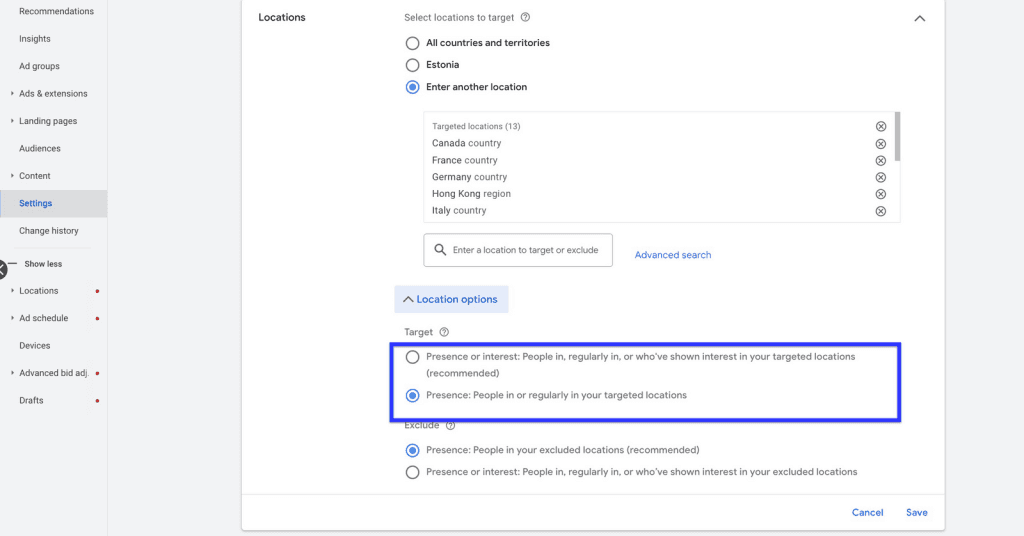
Location Targeting
You can still choose where your ads are shown - and in ecommerce, that matters more than you might think.
Why it matters:
Whether you’re targeting only New Zealand, excluding rural regions with high shipping costs, or pushing promotions in specific cities, location targeting lets you align your spend with your fulfilment capabilities and margin reality.
For ecommerce brands, we recommend:
• Excluding postcodes/regions where delivery isn’t available or viable
• Running region-specific sales or free shipping offers with tailored campaigns
• Watching your cost per conversion by location - you might be surprised where your ROAS is strongest
Device Targeting
Mobile users behave differently from desktop shoppers and your campaign performance often reflects that.
Why it matters:
If your mobile experience is clunky (or your product is hard to buy on a phone), you’ll likely see higher bounce rates and lower conversion rates from mobile traffic. Likewise, high-ticket or B2B ecommerce products may perform better on desktop.
For ecommerce brands, we recommend:
• Checking conversion rate and ROAS by device in GA4 or Ads
• Adjusting bids or exclusions if performance is consistently poor on one device type
• Optimising landing pages and checkout UX for mobile - especially if most traffic skews that way
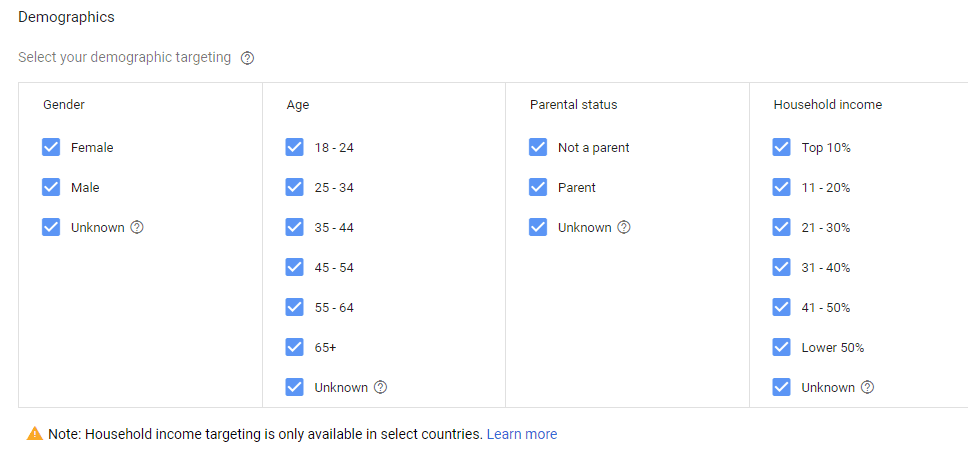
Demographic Targeting
While limited in some ways (and more restricted on Meta), you can still view and act on:
• Age
• Gender
• Household income (US-based targeting only, but worth noting)
Why it matters:
This won’t make or break your campaign, but it’s still useful for identifying trends - especially when launching new product ranges or building personas.
For ecommerce brands, we recommend:
• Reviewing demographic performance data in Google Ads
• Excluding underperforming age brackets if there’s a clear outlier
• Layering demographic insights into remarketing and creative strategy (e.g. visuals or messaging that better match your high-performing age groups)
You may not have full control over how Google or Meta delivers your ads, but you do have the ability to steer your campaigns away from waste and toward higher-performing audiences, devices, and regions.
Automation is great for scale. But there’s still room for human strategy when it comes to knowing where, when, and who to serve your ads to - especially when margins are tight.
Automation Doesn’t Mean Abdication
It’s true: ad platforms are doing more for you than ever before.
Performance Max builds its own asset mix. Meta’s Advantage+ campaigns choose your creative, audience, placements, and budget allocation. Smart Bidding decides how much you should pay based on predicted intent.
But here’s the thing: “fully automated” doesn’t mean “hands off.” It means how you manage your campaign is changing from manual controller to strategic guide.
And for ecommerce brands, knowing what you can still influence is the key to unlocking better performance and protecting your ad spend.
What AI Is Really Doing
Google and Meta’s AI isn’t magic. It works by:
• Learning from your conversion data
• Using your feed, audience, and creative inputs to understand who to target
• Optimising toward goals you’ve set - whether that’s purchases, ROAS, new customers, or site traffic
But if those inputs are poor? Or the campaign structure is chaotic? You’re still responsible for the outcome.
Automation Scales What’s Already Working
Automation doesn’t fix broken campaigns. It just makes them bigger, faster.
If your product data is messy, your targeting too broad, or your landing pages underwhelming, automation will scale the waste, not the wins.
For ecommerce brands, we recommend:
Before scaling budgets, test everything small. Feed the machine great data. Monitor results. And don’t let “set it and forget it” become your default.
What You Still Control
Here’s what you still own - and should be treating as strategic levers:
✅ Your product feed
✅ Your campaign structure
✅ Your creative assets (images, copy, offers)
✅ Your goals (ROAS targets, conversion actions)
✅ Your exclusions (locations, devices, negative keywords, audiences)
✅ Your first-party data (Customer Match, remarketing, etc.)
All of these shape how AI interprets your brand, your customer, and your value.
We believe the ecommerce brands that succeed with PPC in an AI-first world won’t be the ones who handed everything over to AI tools. They’ll be the ones who knew how to guide it.
Make AI Work For You, Not Against You
You don’t need to know every technical detail of how Google or Meta’s targeting systems work. That’s what the platforms want: to make things easier, faster, more “automated.”
But here’s the thing: you still need to understand the levers that matter.
Because when your budget is on the line, your product margins are tight, and your growth targets are ambitious, you can’t afford to let AI drive blind.
Even in the age of full-funnel automation, strategy still makes the difference between scaling efficiently… and watching your ROAS slowly erode.
If you’re looking to make sense of targeting in an AI-driven world - and turn your paid campaigns into something that actually drives profit - we’d love to help.
Let’s make the platforms work for you. Not the other way around.