What to Do When Site Traffic Plummets
16 April 2025

Roberta Johnston
SEO Lead
I'm an SEO specialist with over 8 years of experience helping brands grow through strategic, data-driven search optimisation. I've worked with large e-commerce websites and niche brands alike, developing a deep understanding of ranking algorithms, generative AI, and LLMs like ChatGPT, Perplexity AI, and Gemini. My expertise spans technical SEO, ensuring sites - whether a few dozen pages or 100,000+ - are crawled and indexed effectively.
Tags
When sales depend on traffic, any dip can feel like a disaster.
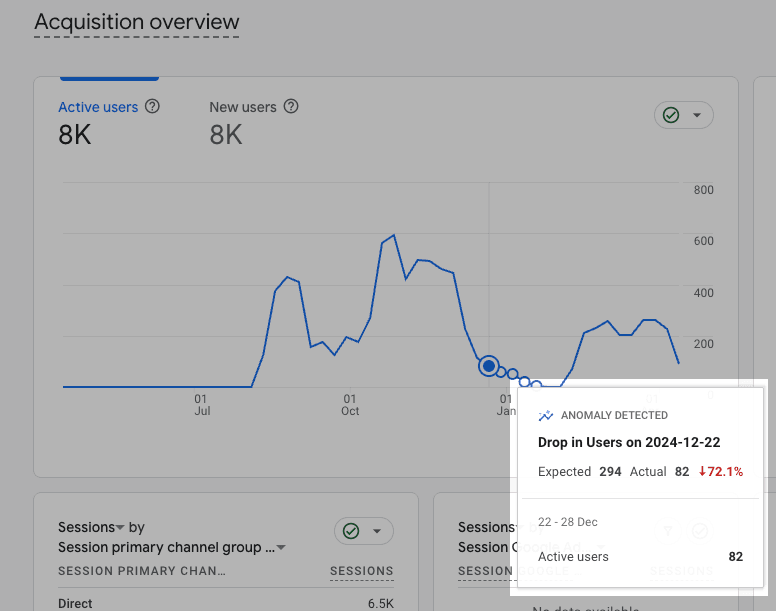
One day everything’s ticking along nicely – then suddenly, your Google Analytics dashboard tells a very different story. Sessions are down. Organic traffic's dropped. That steady stream of users you’ve come to rely on? Vanished.
Before you panic (or throw your laptop across the room), take a breath.
Traffic drops happen - and they don’t always mean something’s broken. But they do mean it’s time to get curious.
We work with ecommerce brands across New Zealand and Australia - many of whom rely on high, consistent site traffic to hit revenue targets. And while a sudden dip is rarely welcome, it’s almost always a chance to learn something useful: about your site, your audience, your campaigns - and even the channels you might be underutilising.
Let's break down how to spot the difference between a real problem and a normal fluctuation, how to diagnose what’s going on, and what to do next.
Jump-to section:
- What to check first
- Is your tracking working properly?
- What channel experienced the drop?
- User engagement vs volume
- Are users still converting?
- Market impact
When Is a Traffic Drop Actually Normal?
Before you go full fire-drill mode, take a step back and zoom out.
Some drops in traffic are completely normal - even expected. The key is knowing what’s actually a red flag, and what’s just part of the ebb and flow.
Here’s what to check first:
🟡 Year-on-year comparisons: Is this the same dip you saw last winter? Seasonal slowdowns are common - especially in retail. It's not always winter, either; many retail brands can thrive in the colder months and see the total opposite come the warmer season!
Pull up GA4 and compare the same date range across different years. If the curve looks familiar, you’re probably not looking at an emergency.
🟡 Campaign changes: Did a paid or influencer campaign just end? If traffic was inflated from a promo push, the drop might be a return to normal.
Check GA4’s “Traffic acquisition” report and look for spikes from Paid Social, Paid Search or Referral traffic. Match those dates against your campaign calendar.
🟡 Market trends or events: Has search volume shifted for your core keywords? Are your competitors seeing the same thing?
Use tools like Google Trends or SEMrush to check keyword trends over time. If interest is dropping across the board, it might not be you.
🟡 Human behaviour: Long weekends, post-payday dips, or even school holidays can influence browsing patterns more than we give credit for.
Overlay public holidays or school term dates over your traffic data. You might notice a repeatable pattern.
🟡 Tech changes: Did Google roll out an algorithm update? Have privacy rules changed (like iOS tracking restrictions)? Did your site experience a performance dip? These can all impact visibility and user behaviour.
Use Google Search Console to check for big changes in impressions or rankings. Follow sources like Search Engine Roundtable or Google’s status dashboard to stay in the loop.
We see this a lot with ecommerce brands - particularly those with physical stores or product lines influenced by weather, trends, or gifting seasons.
Before assuming something is "wrong", it's critical that you assess factors like these. A lull doesn’t always mean something’s broken! Context is everything – and a well-timed breather in traffic could just be the calm before your next peak.

Is Your Tracking Set Up Correctly? (Yes, seriously.)
We’ve seen it more than once: traffic appears to have dropped… but it’s actually still there - it’s just not being tracked properly.
When analytics setups break, it can look like a performance issue when it’s actually a data issue. And in ecommerce, where traffic = revenue opportunities, it’s easy to panic if the numbers don’t add up.
If you're working within Google's tech ecosystem, you're likely using Google Tag Manager to set up, add and manage tracking and analytics tags. Proper setup and implementation is vital for the quality and accuracy of the data you use, report on or monitor.
It seems like a no-brainer, but checking whether your tags, UTM parameters and other tracking methods are still working as expected is a great place to start when analysing traffic drops.
Here’s a quick checklist of things that can silently wreck your tracking:
- GA4 tag accidentally removed during a dev update
- Cookie consent banners blocking scripts or delaying firing
- Campaigns missing UTM parameters, leading to misattribution
- New pages or user events added without GA4 tagging
- Server-side tracking set up incorrectly or not firing as expected
Privacy, User Data & Tracking Issues
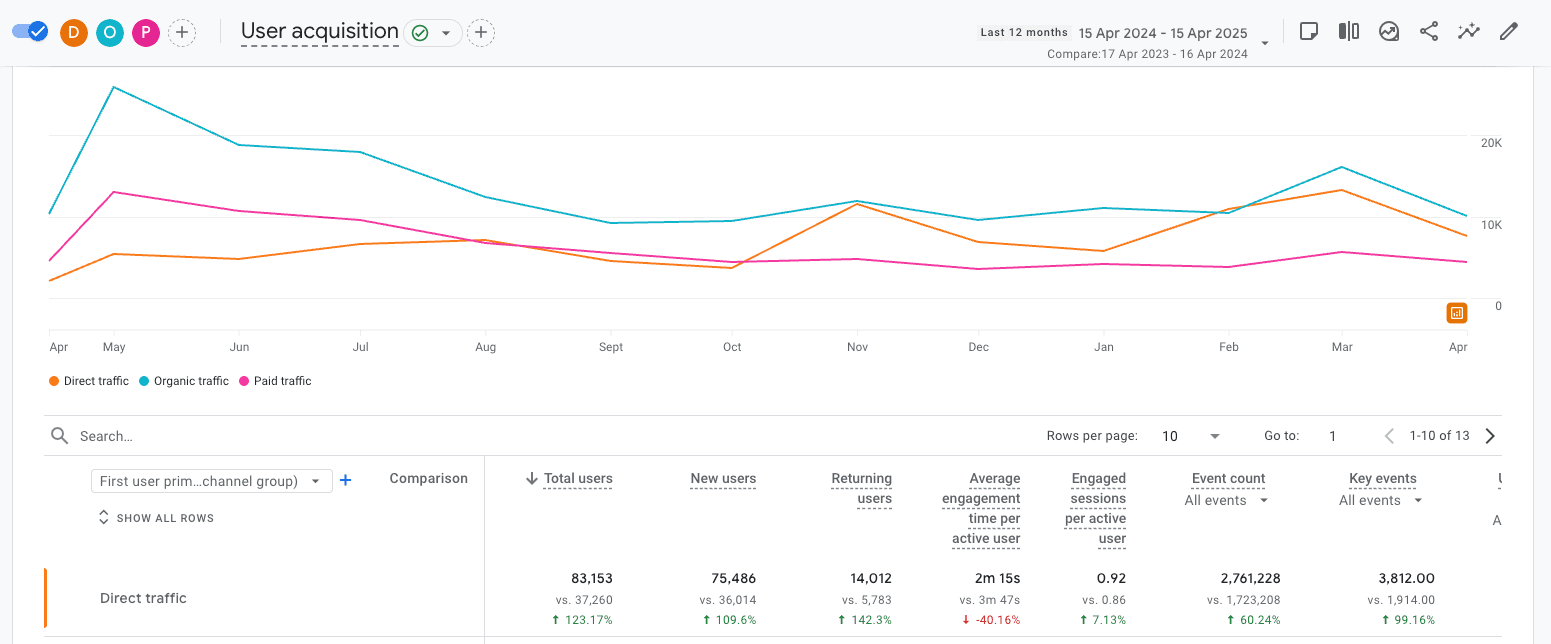
If Direct traffic suddenly spikes while other sources drop, you’re probably seeing misattribution. We experienced this first-hand.
Around May last year, we noticed a pattern: the Direct channel started showing huge gains across many of the ecommerce sites we manage - users, sessions, and revenue were all climbing, but nothing else in our activity explained it.
Fast forward nearly a year and we’re still seeing year-on-year growth exceeding 100% in some cases… all attributed to Direct.
The culprit? Changes to how user data is handled – especially around privacy and tracking.
The fix? Moving to CSR (Client-Side Rendering), or a hybrid CSR/SSR setup, paired with a strong focus on owning and activating first-party data. Without it, you risk flying blind - and giving all your hard-earned results to the wrong channel.
Blackpepper Tip: Think you might be suffering from misattribution? Start by checking your GA4 Realtime and Acquisition > Traffic reports to spot missing campaign data or unusual referrers.
First Things First: Where Did the Drop Happen?
Once you’ve ruled out seasonal shifts, tracking issues, or misattribution, it’s time to zero in on which channels actually dropped.
This is where GA4’s Traffic Acquisition report is your best friend. Segment by channel and look at changes to key metrics like Users, Sessions, and Revenue. Where’s the dip coming from – and does it align with your expectations?
🔍 Organic Search
Still the lifeblood of most ecommerce sites, and often the most complex to diagnose. A sudden drop here could be tied to:
🚨 Recent site changes (navigation restructure, category changes, migration, etc.)
🚨 Ranking losses or indexation issues
🚨 Technical problems affecting crawlability (check for robots.txt updates, noindex tags, schema errors)
Check in:
➡️ Google Search Console – look for dips in impressions or clicks at the page level
➡️ SEMrush or Ahrefs – benchmark your rankings and visibility trends
➡️ PageSpeed Insights – performance updates can impact UX and rankings
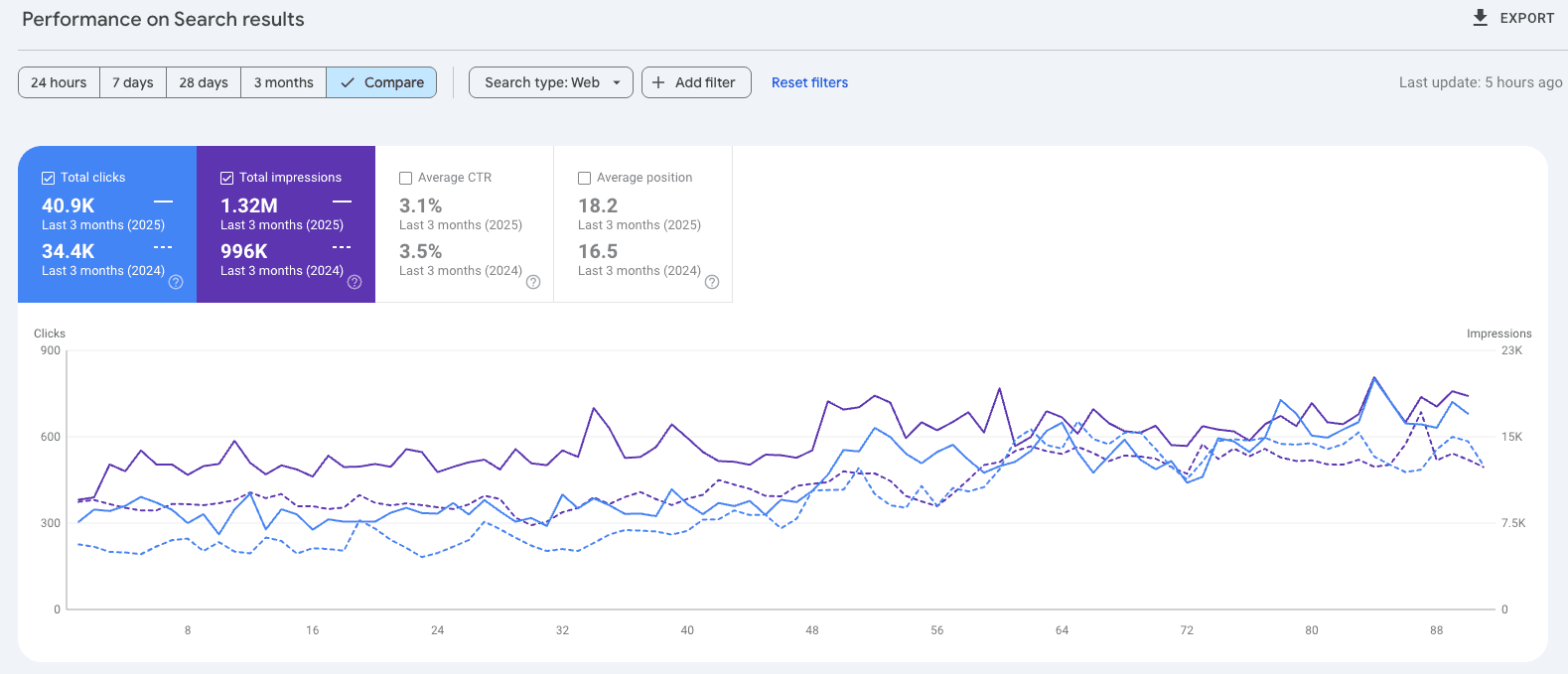
Although Search Console only keeps 16 months' worth of data, using the 'Compare' function can still provide seasonality insights and trends.
Organic Search & Algorithm Updates
While the search landscape has a lot going on right now, Google's still sitting pretty at the top of the pile. That means - for now, at least - most ecommerce and retail brands will be playing by their Search rules, and that includes algorithm updates.
Google makes thousands of these updates a year – and not all of them are announced. Plus, with AI powering more (if not most) of Search at this point, how and what results users get served is changing drastically.
This means you could go from ranking 1st for "vegan dog treats" to virtually invisible overnight (worst case scenario but you get the point!).
Here’s how to assess impact:
➡️ Use SEMrush’s Sensor tool, MozCast, or Rank Ranger to track volatility.
➡️ Compare before and after data around known updates (SEOs often share timelines on Twitter/X and LinkedIn).
➡️ Look for ranking shifts, not just traffic. Drops in impressions or clicks for high-volume queries are a red flag.
When Google updates its systems, it often rewards topical authority, content depth, and clean structure. If only blog or collection pages took a hit, for example, it could be a relevance or quality signal issue - often a sign your content needs refining.
This is why investing in ongoing SEO, not one-off fixes, pays off long-term.
💸 Paid Search
Are you running paid search ads? If traffic here has dipped, rule out the obvious:
🚨 Budget caps or shared budgets being stretched
🚨 Paused campaigns or disapproved ads
🚨 Performance Max over-prioritising some assets/products over others
Check in:
➡️ Campaign status, delivery metrics, impression share
➡️ Product-level data (especially if you’re running Shopping campaigns)
➡️ Recent changes to bidding strategy, location targeting or audience exclusions
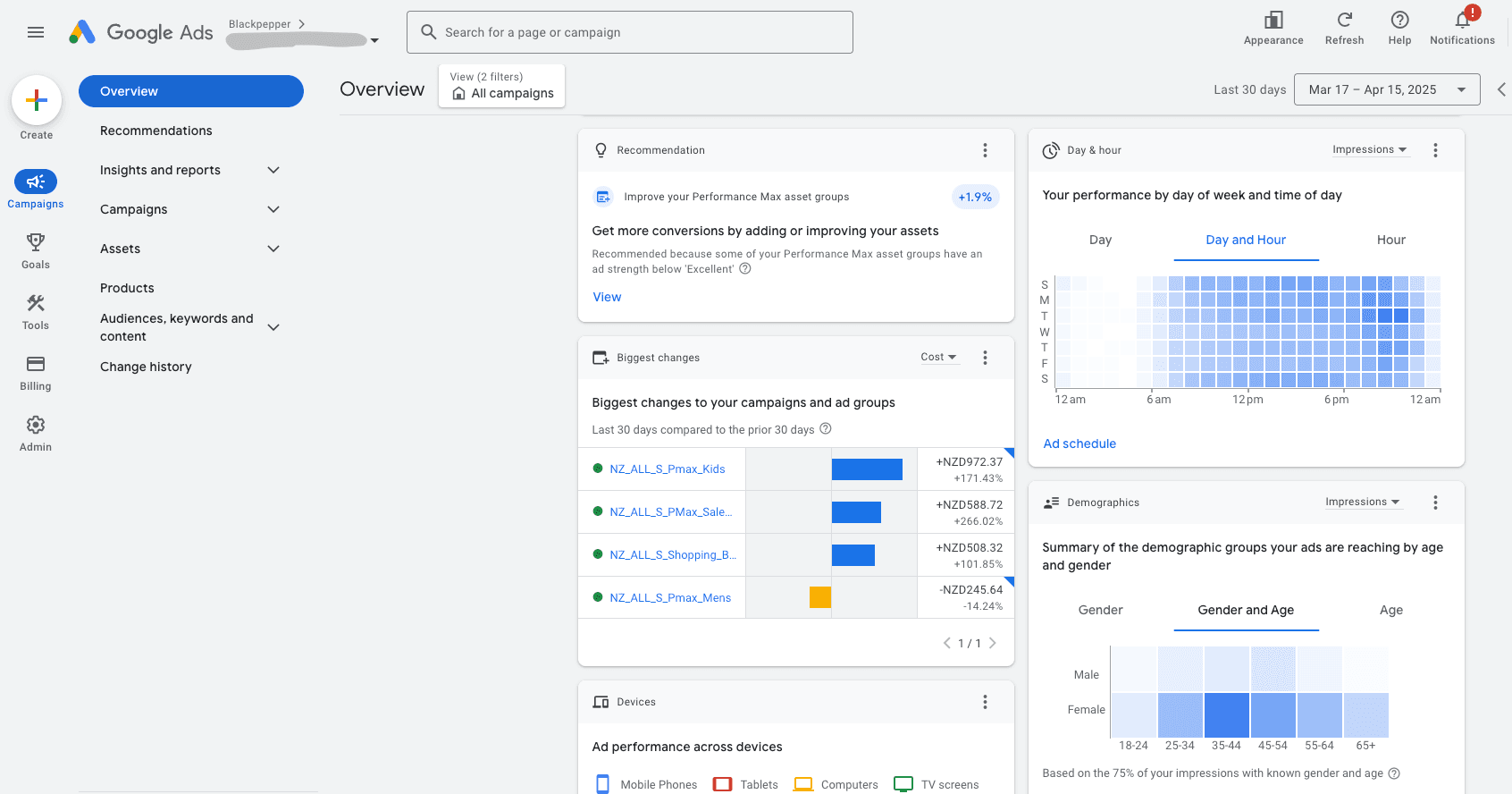
🛍️ Cross-Network (Google Shopping + GMCN)
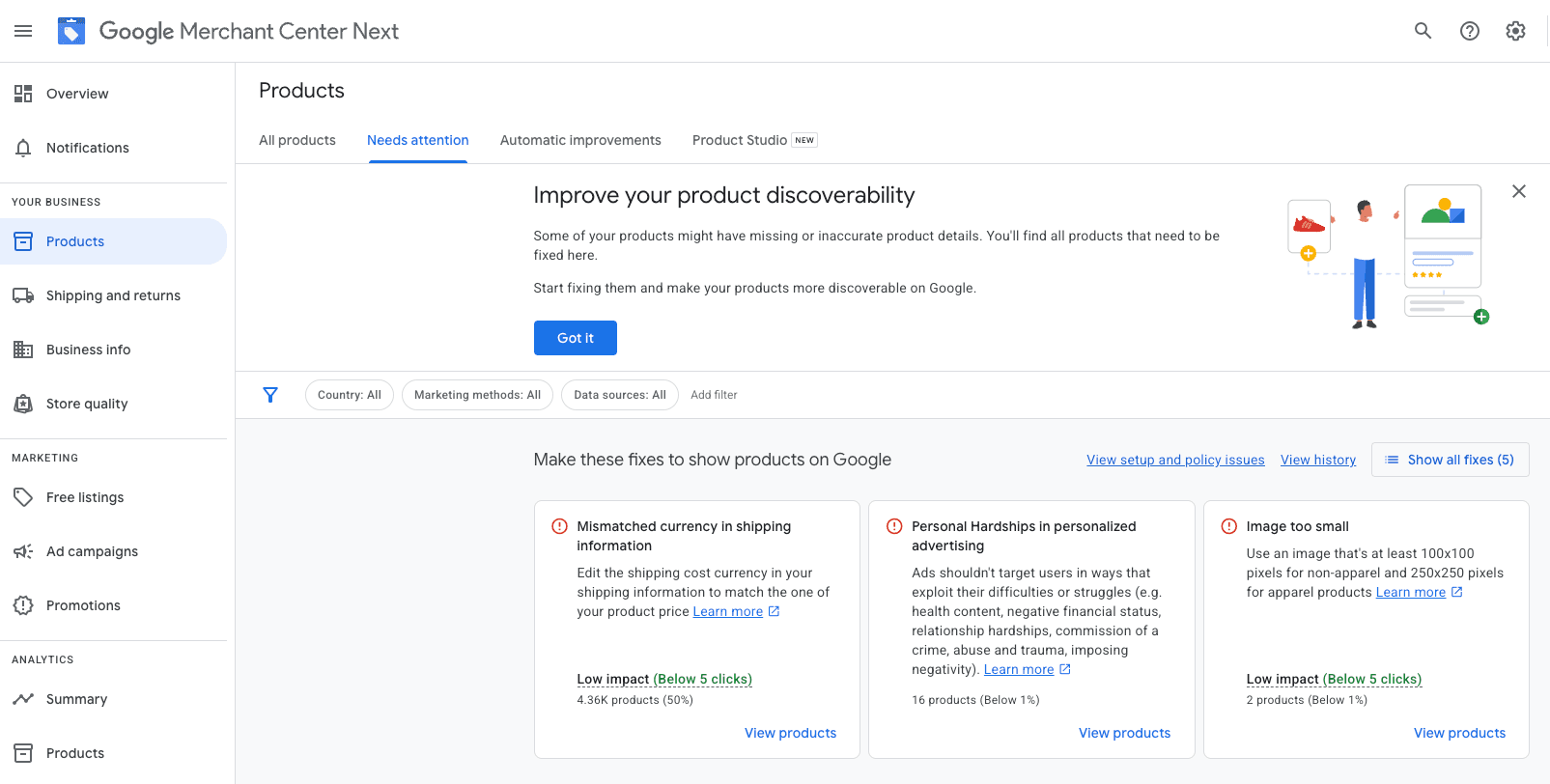
Product feed disapprovals in Google Merchant Centre Next (GMCN) can tank Shopping visibility overnight.
Auto-ingested feeds are prone to mismatch errors, and you might not notice until the damage is done.
Check in:
➡️ Product status in GMCN (look for spikes in “Disapproved” or “Limited performance”)
➡️ Structured data integrity on PDPs
➡️ Sale price/availability mismatches between feed and site content
🔗 Referral
A sudden dip here can usually be traced back to a lost backlink or deactivated listing – especially if you’ve relied on third-party traffic from PR, marketplaces, or blog roundups.
Check in:
➡️ GA4’s referral sources report
➡️ SEMrush’s Backlink Audit tool
➡️ Any outreach or affiliate tracking systems you’ve set up
📱 Organic Social
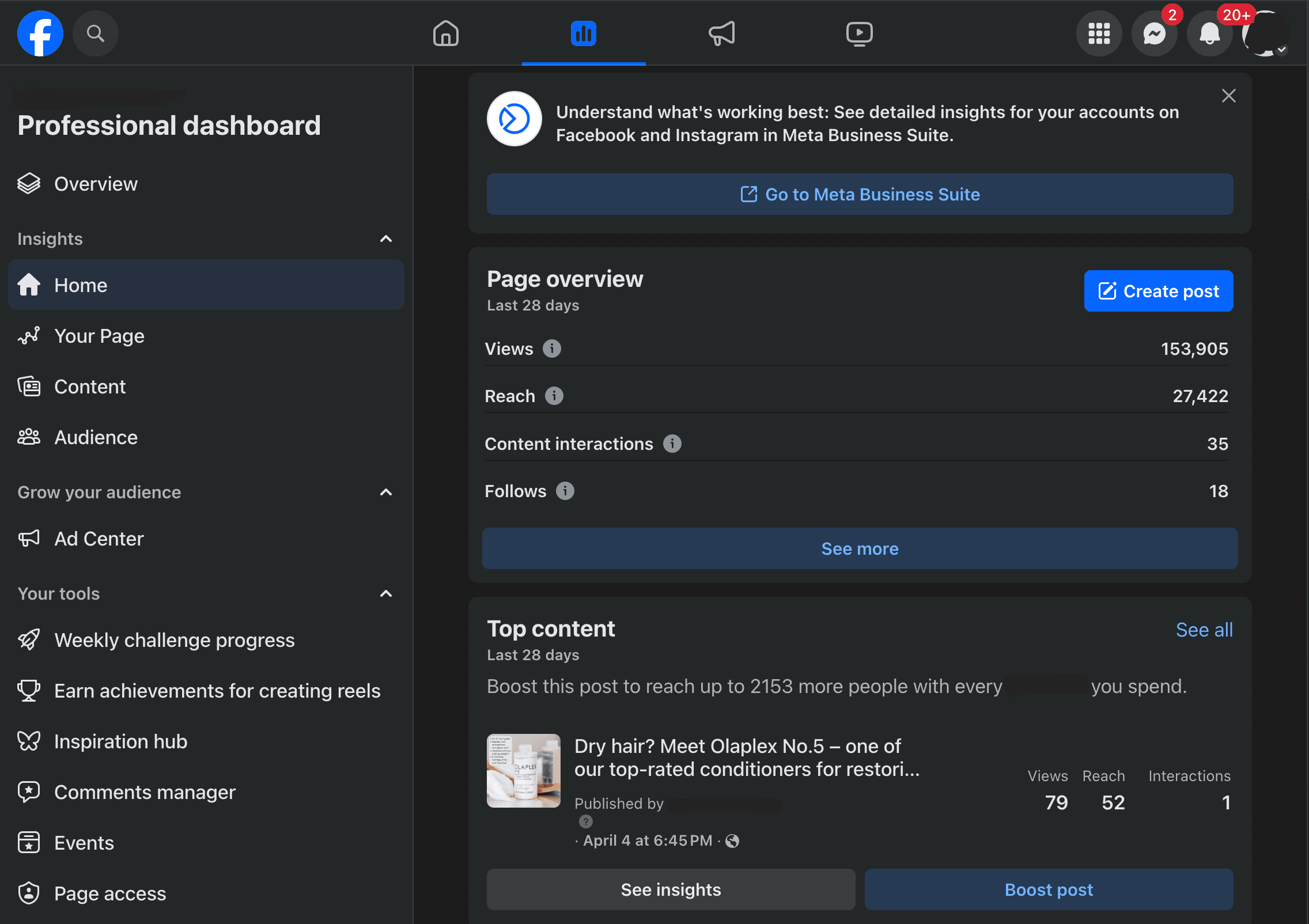
Social traffic can fluctuate rapidly - often driven by post frequency, content type, or influencer collabs.
But also keep in mind overlap with other channels. If you’ve just launched a mailer to your audience, you may see lower social traffic as those same users already clicked through another channel.
Check in:
➡️ Post engagement rates and link clicks
➡️ Overlap with email timing and audience
➡️ Frequency of posting or drops in interaction
🏷️ Direct
As we mentioned earlier, this is often misattributed traffic, especially when UTMs or tracking scripts break.
If Direct drops and all other channels seem fine, revisit your campaign tagging and site architecture.
If it rises without cause? You may be underreporting your other traffic.
Check in:
➡️ Branded search performance in GSC
➡️ Any recent changes to campaign URLs, redirects or UTMs
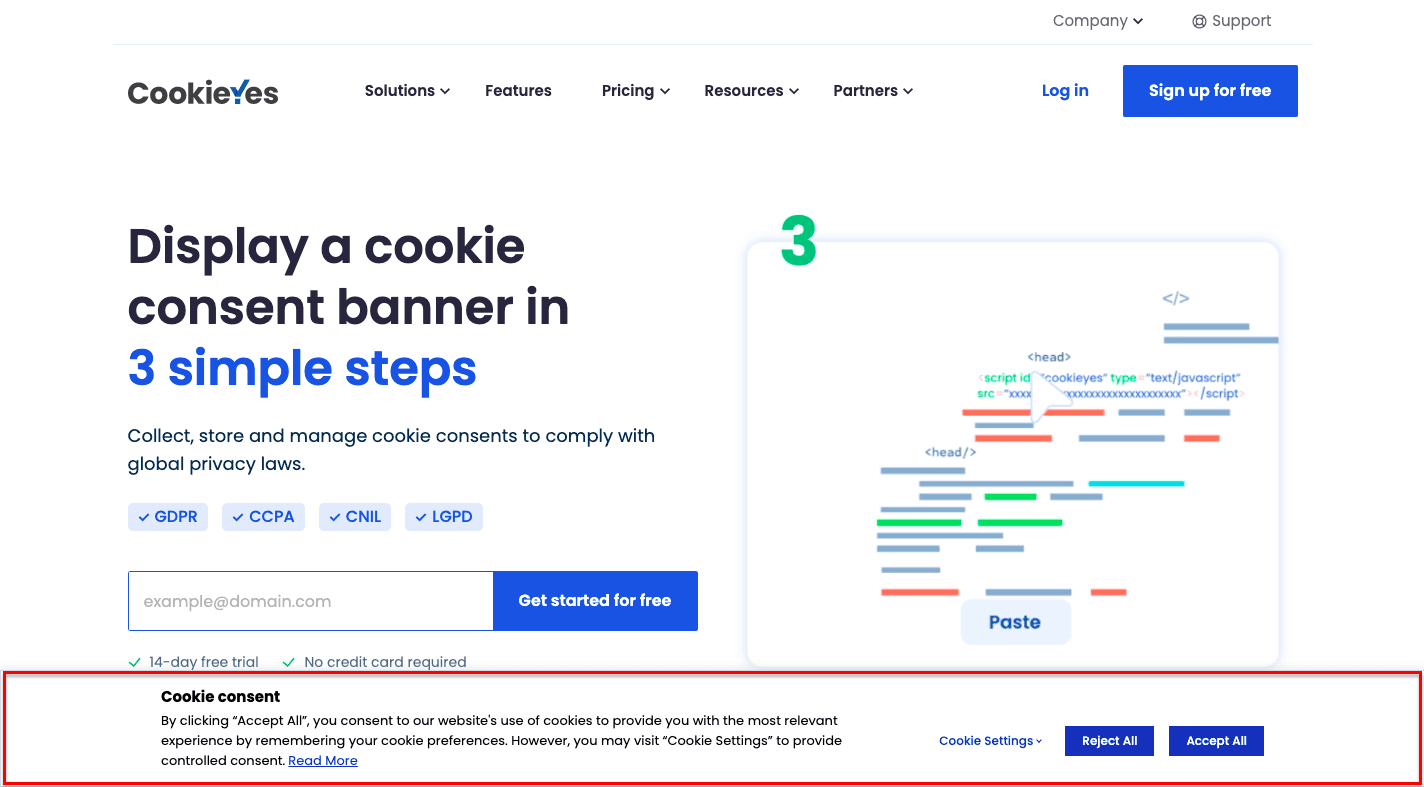
➡️ Consent banner settings that may block attribution scripts
One last tip: Don’t just look at traffic volume – assess the quality of traffic too.
Sometimes you’re not losing users, you’re losing the right ones. Check bounce rate, time on site, and revenue by channel for the full picture. Which brings us to our next point...
Analyse Engagement, Not Just Volume
So you’ve found where the traffic drop is happening - now ask how those remaining users are behaving.
Why? Because a sudden change in engagement metrics can reveal issues that raw session numbers never will. In fact, many traffic dips are really engagement drops in disguise.
⏱️ Bounce Rate & Time on Page
If users are landing but leaving immediately, something’s off.
It could be:
🚨 Slow page load speeds
🚨 Unclear content or CTAs
🚨 Mismatch between ad copy and landing page
🚨 Broken internal links or missing assets
GA4 tip: Use “Engaged Sessions” and “Average Engagement Time” as benchmarks. Look at these per device type and landing page.
🛒 Conversion Rate Changes
If traffic is holding but conversions are tanking, something’s disrupted the buyer journey.
🚨 Were trust signals removed or changed (e.g., reviews, shipping info)?
🚨 Did you launch new products but neglect top sellers?
🚨 Are PDPs still matching search intent and targeting the right users?
Even a subtle copy tweak or image change can shift perceived value - especially for high-consideration purchases.

🧭 Navigation, UX & CRO Changes
Did you restructure your menu? Redesign PDPs? Add popups?
Sometimes traffic doesn’t disappear - it just stalls mid-journey because people can’t find what they’re looking for.
Use tools like:
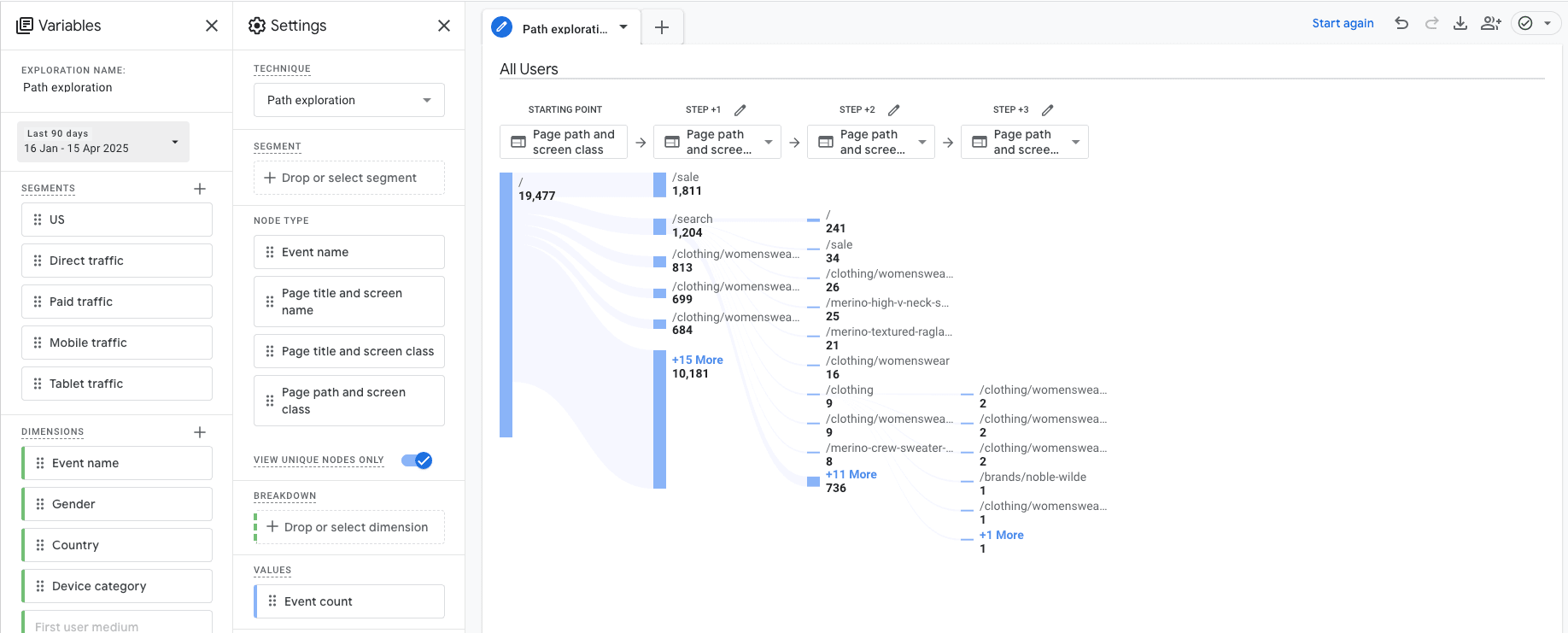
➡️ GA4’s path exploration to see where users drop off
➡️ Hotjar/Clarity for scroll depth and click maps
➡️ Search console to see what pages are being indexed (or not)
📱 Device and Platform Trends
Many ecommerce brands overlook this: Did mobile traffic drop, but desktop stayed stable? Or vice versa?
🚨 A new pop-up that works on desktop might tank mobile UX
🚨 A site redesign could mess with responsive breakpoints
🚨 Mobile-first indexing still matters for SEO
Use GA4’s device category breakdown to spot experience gaps.
It Might Actually Be the Market...
Not every dip in traffic is something you’ve done wrong - sometimes, demand has simply shifted.
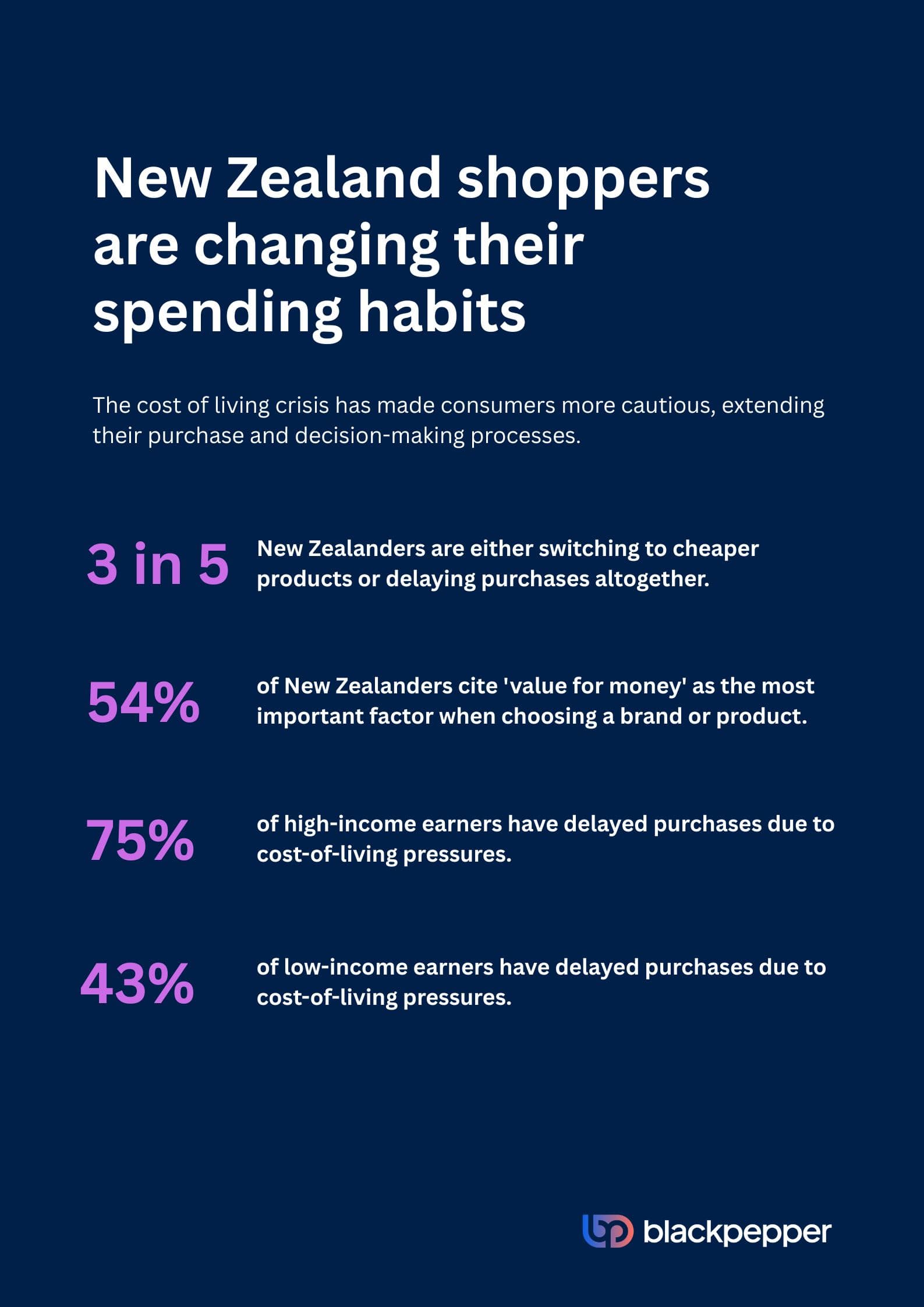
With ongoing cost of living pressures across New Zealand and Australia, consumer behaviour is changing rapidly. Shoppers are thinking harder about where their money goes, delaying non-essential purchases, and leaning more on price comparisons, reviews, or loyalty discounts before they hit “Buy Now.”
For ecommerce brands selling luxury goods, seasonal items, or non-essentials, this creates a natural dip in site visits - and it’s not just you. The market has pulled back.
When Macro Trends Hit Micro Metrics
If your site's traffic is down, consider:
🚨 Market-wide demand shifts: Are consumers spending less in your category?
🚨 Competitor trends: Are others in your industry experiencing similar declines?
🚨 Consumer priorities: Are your products considered essential or discretionary?
You should also check your CRM and email engagement metrics. If loyal customers are still opening emails but not converting, it may indicate hesitation rather than disinterest.
Strategies to Navigate the Downturn
➡️ Emphasise value: Highlight how your products meet essential needs or offer long-term benefits.
➡️ Flexible offerings: Introduce payment plans, loyalty offers or discounts to accommodate tighter budgets.
➡️ Transparent communication: Acknowledge the economic climate in your messaging to build trust.
Traffic Drop? Don't Panic - Diagnose
Traffic fluctuations are inevitable, but they don’t have to derail your growth.
Whether it’s the market, the message, or a missed tag - the key is to approach the drop with curiosity, not chaos. Get granular. Use the tools at your disposal. Ask the right questions.
Most importantly? Don’t operate in the dark.
We help ecommerce brands make sense of their site data, uncover hidden issues, and identify the real opportunities that lie behind the dips. Because sometimes, a traffic drop is just a momentary blip - and other times, it’s the insight that drives your next big leap.
If your dashboard’s looking shaky and you’re not sure where to start, let’s chat. We’ll help you figure out what’s really going on - and what to do about it.